

Autodesk provided their usual monthly update to Fusion 360, and there were a couple of new features of interest.
Fusion 360 is a very popular 3D CAD tool among 3D printer operators because it is quite powerful and able to produce precision parametric designs for mechanical parts. Oh, and they also offer a free version for hobbyists and business startups.
The one I’m most interested in trying is the new Mesh Texture Extrude feature. It’s very easy to use, and will be extremely useful for producing advanced surfaces on parts.
The feature involves selecting a 2D image, which is then projected onto a surface. The surface need not be flat, it could be curved. The projection can then be extruded to produce a textured surface. Fusion 360 provides a number of parameters to tweak the extrusion, including edge clearance, blend distance, etc.
This feature will be ideal to produce grips on handheld parts, as well as very easily adding logos, serial numbers, or other informational structures onto part surfaces. You can see how this works in the image at top.
Another interesting feature is a modification to the offset function. Offset provides a kind of “echo” of a curve, usually made to create an edge region. The modification now allows you to “offset an offset”, which previously could not easily be done. This would, for example, enable easy creation of concentric curves.
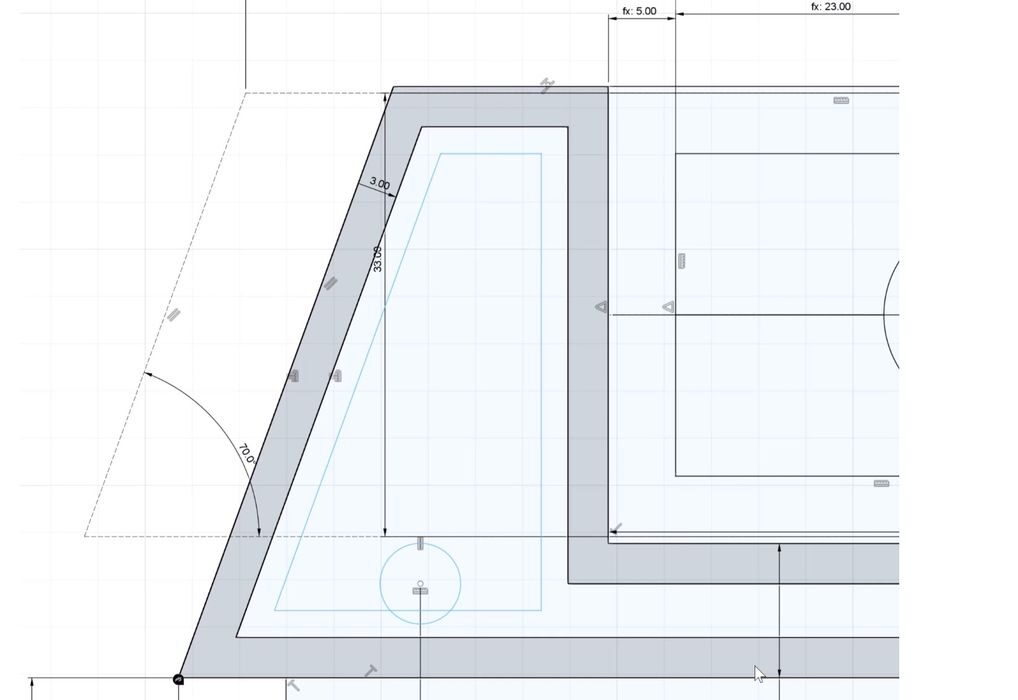
They’ve also introduced Diametric dimensions, which will be quite helpful when designing circular structures. It automatically recognizes center lines and calculates dimensions.
Finally, they’ve done some internal optimizations and sped up several operations that typically are long-running. For example, copying a body on a Mac platform is now 27X faster.
Those are only a few of the myriad of fixes and enhancements in the July update. Fusion 360 users should have a read though their very long update.
Via Autodesk
