
It’s not yet official, but the upcoming release of OrcaSlicer has some very interesting new features.
The open-source slicer is extremely popular in the desktop 3D printing community due to its flexibility and habit of introducing more advanced features before other slicers do.
This week, the project released OrcaSlicer V2.3.1 Alpha — “Alpha” meaning a very early rough cut of the next release, not at all intended for production use. It’s released to gain comments and identify bugs before moving on to a beta release later.
However, V2.3.1 Alpha includes quite a few interesting new features. Let’s take a look at the ones that caught my eye.
Sparse Infill Rotation
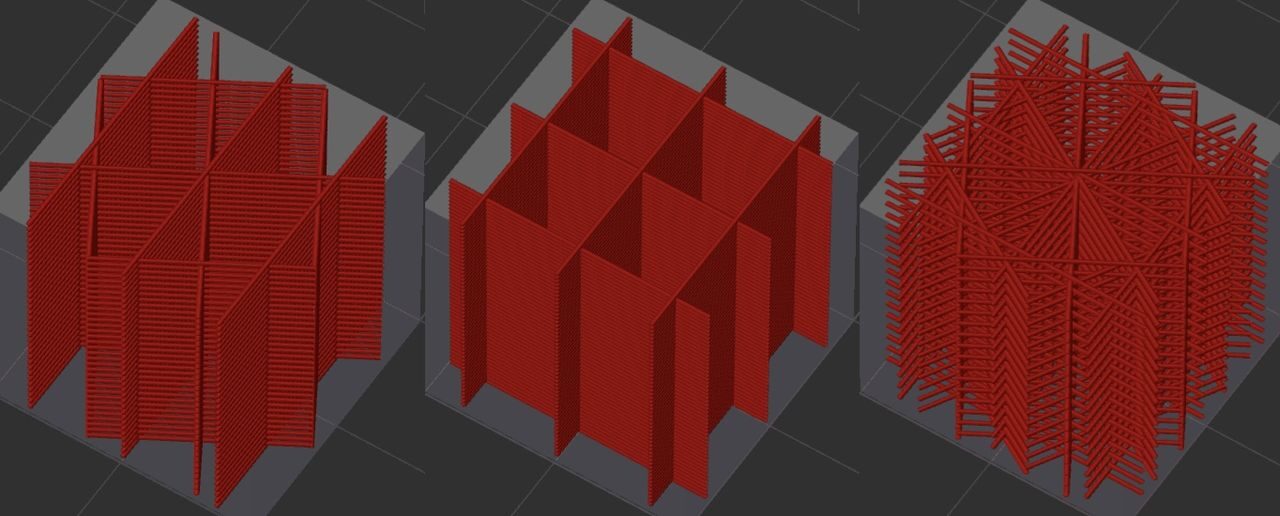
This is an interesting feature that allows you to rotate the infill pattern — according to a new meta-language. The language allows you to create a programmatic description of the rotation, including dimensions, functions, and other complex capabilities.
Infill Line Multiplier
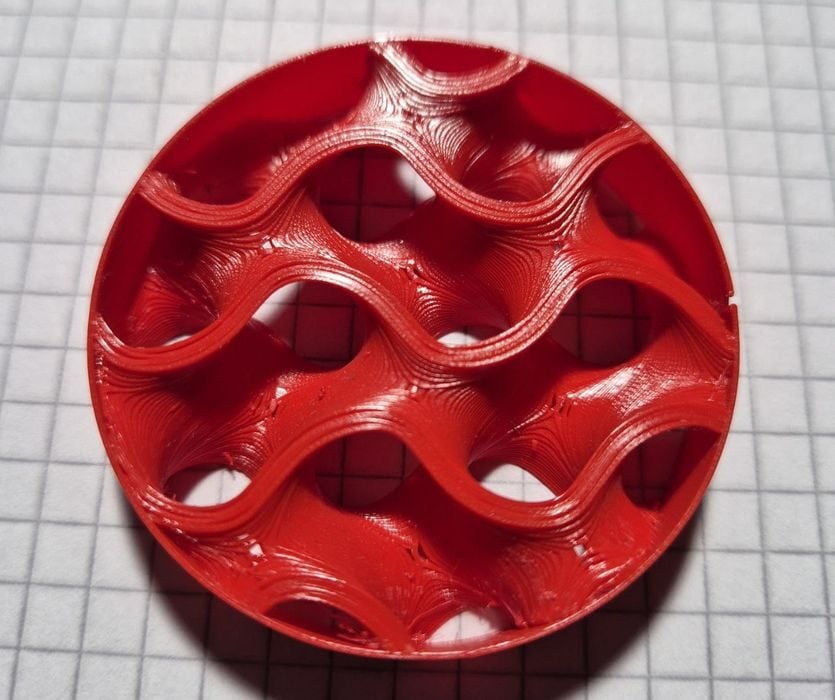
This feature allows you to increase the number of extrusion lines built for infill. This does not change the density, but does improve the strength of the infill itself.
Touch-based Flow Rate Calibration
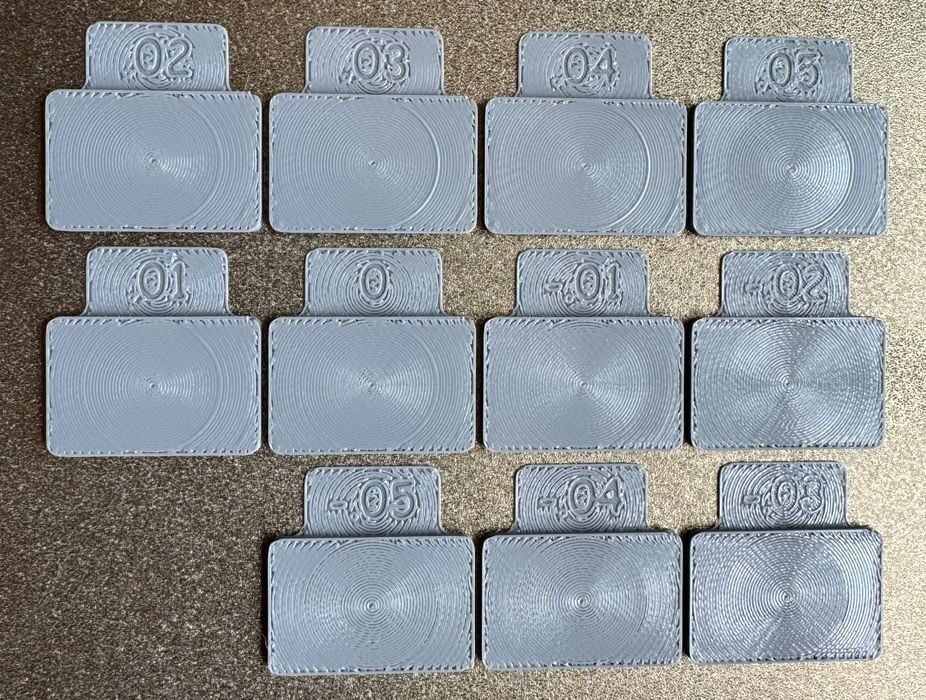
This might be my favourite new feature, which should make flow calibration far easier (see image at top). The project describes how it works:
“The surface pattern and printing sequence in OrcaSlicer’s flow rate calibration test have been redesigned for improved accuracy. You can now identify the correct block not only by visual inspection but also by feeling for the smoothest surface at the ring, making it easier to determine the most accurate flow rate.”
Input Shaping & Junction Deviation
The input shaping and junction deviation calibration process has been greatly improved and now has a new interface. This feature should enable proper high-speed calibration to take place on a much wider range of equipment.
Fuzzy Skin by Extrusion
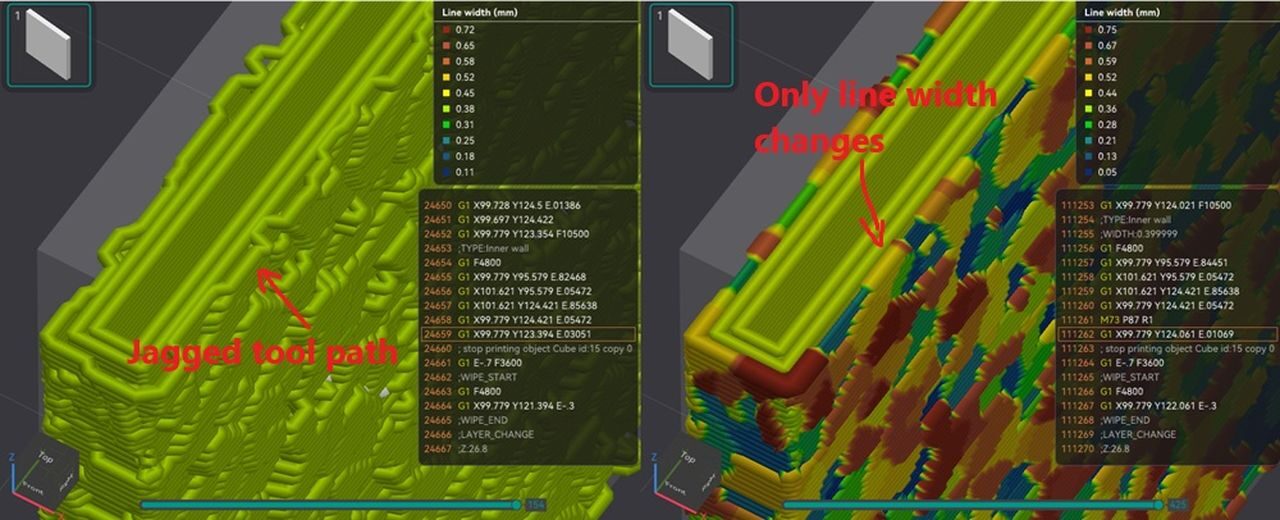
This is quite an interesting feature. Normally, fuzzy skin is generated by wobbling the extrusion line while printing. This feature instead generates the fuzzy skin by playing with the extrusion rate. It’s not clear whether this will be speedier than normal fuzzy skin, but interesting nevertheless.
Fuzzy Skin Painting
This is a port from PrusaSlicer that allows the user to paint sections of a surface for fuzzy skin implementation. It’s quite handy because often you do not want the entire surface fuzzy. Here, you can pick what you want.
Filament Color Remap
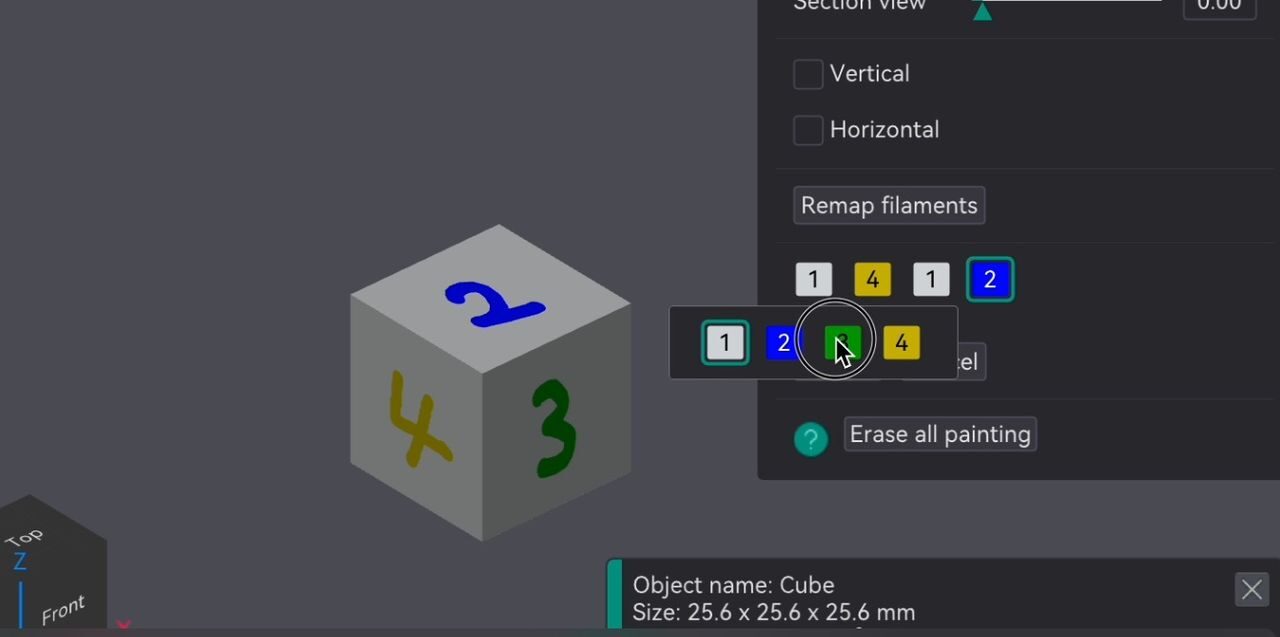
Remapping filament colors is a frequent activity because pre-colored models almost always do not match the filaments you’ve loaded into the machine. The process is a bit tedious and error-prone, but now it should be much better. The new method, shown above, looks far simpler to execute.
Those are only a few of the many new features coming in the next release of OrcaSlicer.
Via GitHub
