
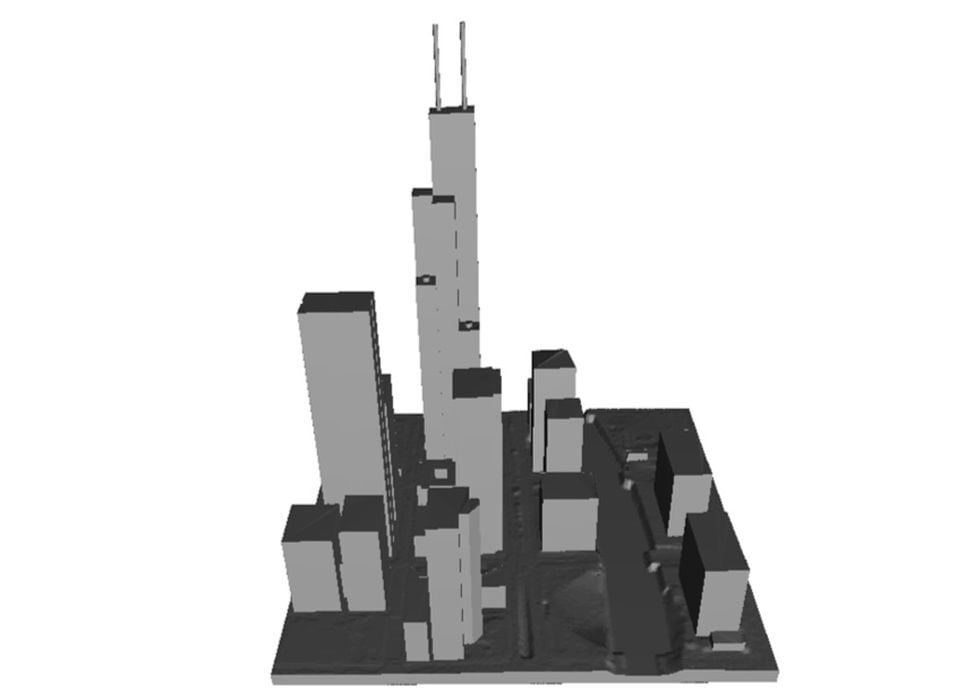
ArcGIS users are now able to easily download printable 3D models of cities, including buildings.
Printing cities is a fun activity, but getting the data is usually not that simple. There are a couple of tools available to get printable city 3D models, but they tend to have various restrictions and constraints.
A new option has appeared in a long blog post by Esri, the organization that looks after ArcGIS. This is a gigantic worldwide geographic information system that can provide highly detailed maps and other geo information on demand.
The new approach involves using multiple Esri tools and services to locate, download, extract and convert the data into proper 3D models, ready for 3D printing. It’s all explained by Esri’s Paul Gibbs, who seems to be the one who figured out the workflow to make this happen.
The workflow is basically this:
- Use the Overture browser to find the area of interest
- Download the geo information in JSON form
- Convert the JSON to polygons
- Extrude the structures to full 3D form
- Merge all the parts together
- Ensure the resulting model is properly manifold
- Convert to an exportable format
- Publish this layer
- Export the 3D scene
- Open the scene in ArcGIS Pro
- Select the area of interest
- Export the 3D model as GLB or STL format
Whew! That is quite a long workflow, and it requires use of multiple tools. I’ve provided only a brief mention of the steps required here so that you can have an understanding of how much effort it would be to use it. For the full tutorial, I strongly recommend you read Gibbs’ full post.
For those looking for unrestricted access to 3D printable city models — and who are already familiar with ArcGIS — this could be an interesting workflow for experimentation.
Via Esri
