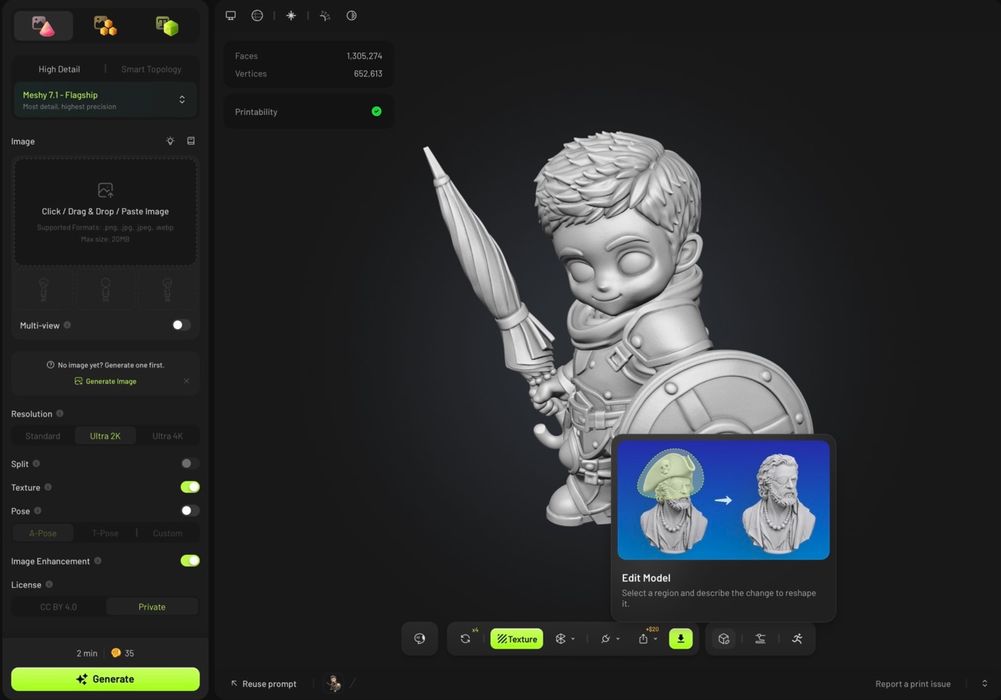
Meshy announced something quite interesting: an editing feature.
It’s called, no surprise here, “Meshy Edit,” and is immediately available to any Meshy subscriber. But it is unlike any 3D editor you’ve probably used in the past.
Most 3D editors are full of basic commands: cut, extrude, paste, revolve, etc. There’s nothing of the sort in Meshy Edit. Instead, it leans very heavily on AI capabilities.
The problem they’re trying to solve with Meshy Edit is one that any user of generative AI 3D tools encounters: the generated 3D model is close to what was desired, but not exactly so.
Currently, the solution is to tweak the original AI prompt and run it again. This process typically repeats through a number of generations before something sort of close to the desired 3D model appears.
That approach is quite inefficient, as it regenerates the entire model each time, and therefore opens the possibility of messing up portions of the model that were in fact good. I’m pretty sure some Meshy users were chasing their tails around and around trying to get what they wanted.
Meshy Edit instead allows a user to select a small portion of a generated 3D model and perform AI regeneration of it alone. For example, in a medieval figurine 3D model, you might lasso the sword portion and ask “replace the sword with an axe, use this image as a reference for the axe.”
That sort of editing approach can be done to many sections of a 3D model, which should allow users to dial in a 3D model much more efficiently. It’s also, I believe, the only editing service available from an AI-generative 3D model service, at least for now.
Of course, this isn’t a free service, and Meshy will collect 20 credits from you. Credits are obtained through their various subscription options. I’m not sure that this is any cheaper than doing a full regeneration per iteration, but the new approach should get you to the end of the job in fewer iterations.
Via Meshy