
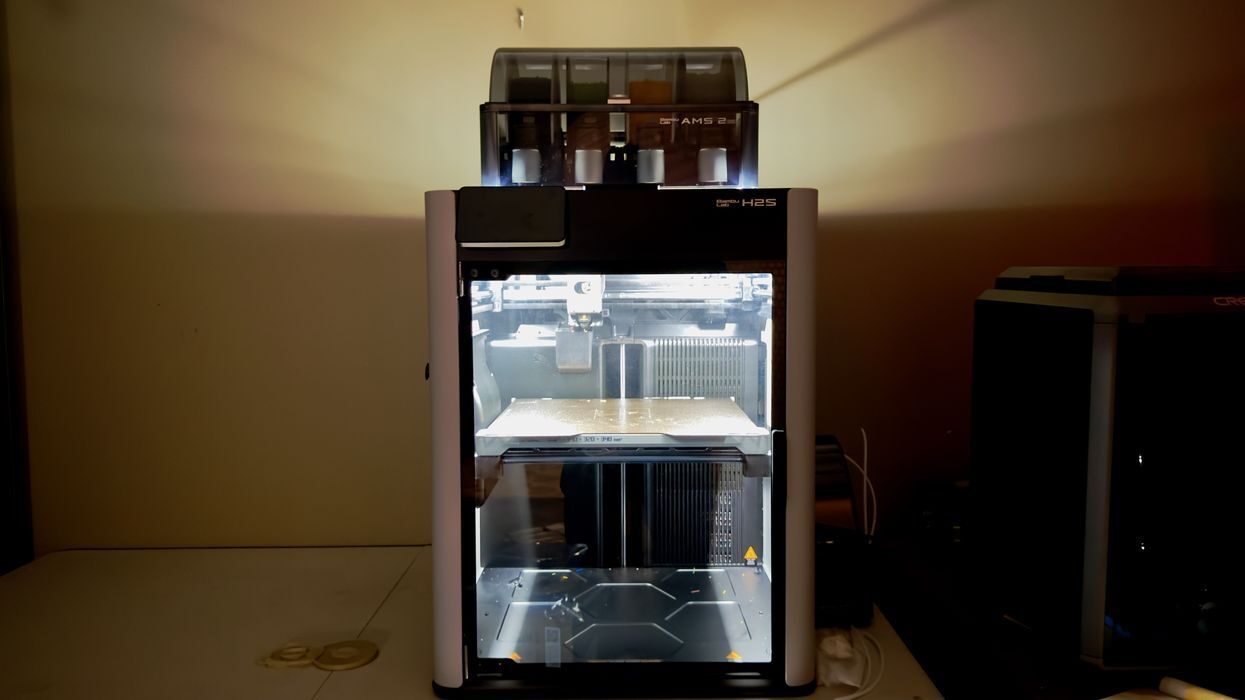
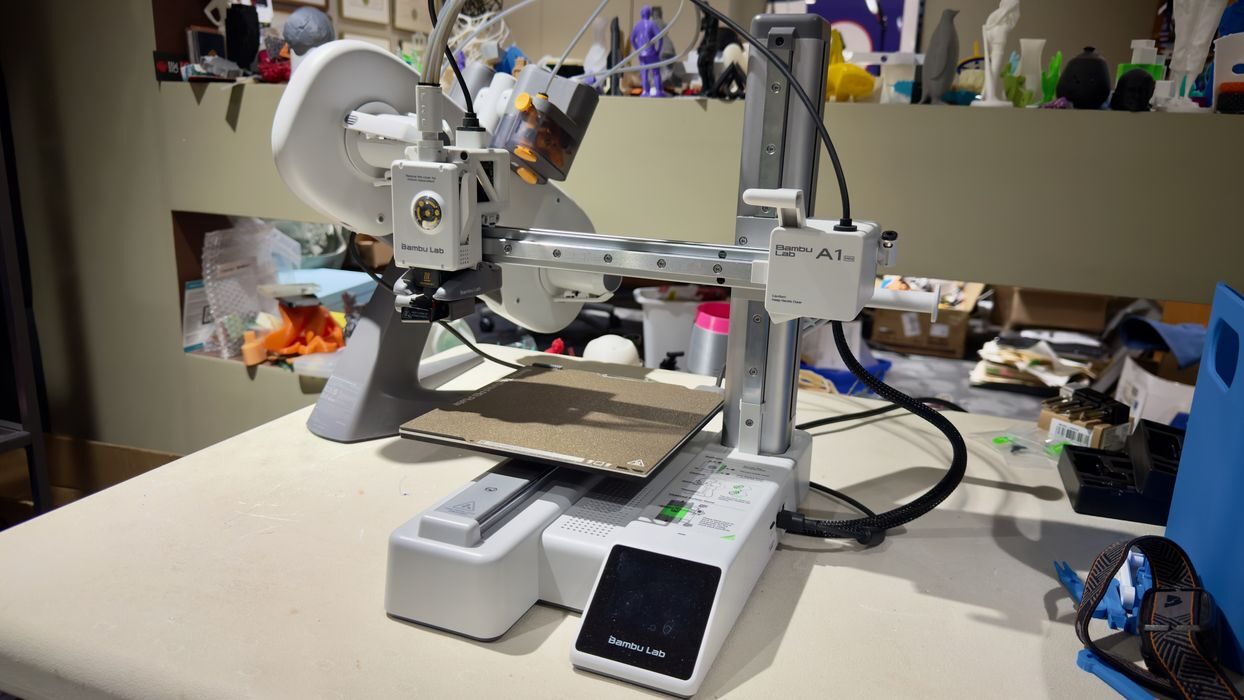
For anyone considering a 3D printer as a holiday gift this year, it’s a great idea — but one that requires more thought than simply picking the fanciest box on the shelf.
Why 3D Printers Now Make Great Gifts
3D printers have almost crossed from the workshop into the living room. They’re no longer the noisy, flaky machines that once required constant tinkering.
Modern desktop systems can produce toys, replacement parts, art pieces, and even useful household items with a few clicks. For creative people — or families looking for educational projects — a good 3D printer can inspire endless exploration. But, like any complex tool, not all printers are created equal.
Who is this 3D Printer For?
There are two basic types of 3D printer operators, techies and non-techies. Those with considerable technology experience were the first adopters of 3D printing years ago, as they were the only group able to withstand the unreliable aspects of early machines.
On the other hand, machines of recent times have been made far more simple to use. They usually — but not always — offer all manner of automatic calibration, easier user interfaces and simplified physical operations. This has enabled the general public to consider buying a 3D printer — and succeeding.
The following advice is targeted at the non technical folks. Those with technical skills don’t need my advice, as they can figure it out for themselves. In fact, non technical people are advised NOT to read recommendations from technical people because the requirements are vastly different.
Most people in the general public don’t care about where the cloud network is located, or the ability to use obscure third party filaments, for example. Yet those and other aspects are typically deciding factors for operators with technical experience.
Key Considerations for Holiday Shoppers
That said, let’s look at the major factors that should be considered by non technical people looking to buy a 3D printer, perhaps their first.
Ease of Use
Perhaps the most critical factor is ease of use, as it’s still possible to buy desktop 3D printers that are challenging to operate.
Many low-cost printers arrive as kits requiring hours of assembly and calibration. That might be fun for experienced makers but disastrous for new users expecting plug-and-play operation. Fully assembled 3D printers are a better buy.
Look for auto-leveling beds, pre-assembled frames, and touchscreen wizards that guide setup. Printers with integrated filament sensors and cloud monitoring — features common in newer machines — greatly reduce frustration.
Safety
Most of today’s desktop FFF 3D printers are relatively safe, as the only real risks are from getting tangled up in the motion system, or burning fingers on the hot (250C) nozzle. Enclosed systems essentially eliminate that risk, while open gantry systems should be placed where fingers and pets cannot intrude.
Consider the placement of the machine carefully, as ventilation is really required. FFF equipment will emit nanoparticles and VOCs, different levels for different materials. Ideally you have a blower taking emissions away from the 3D printer and venting them outside. You might also consider a nearby air filter attached to the machine. Under no circumstances should a 3D printer be placed in a bedroom where someone could breathe in these emissions for hours.
Also — and this is important — do not consider a resin 3D printer. Although they can produce higher resolution prints, resins are almost always quite toxic and require very careful handling with special protective gear. This is not something you want to push onto someone who is just starting in 3D printing.
User Interface
User interfaces have changed utterly on desktop 3D printers, which originally had NO INTERFACE at all! The more advanced machines today will offer not only large, color touchscreens, but also carefully designed user interfaces that are a pleasure to use. It should not be difficult to navigate to find the function you need.
Just because a machine has a color touchscreen does not mean the interface is easy to use. If possible, go and test a machine at a local store where you can see how the navigation works.
Noise
Noise can also matter more than expected. Entry-level Fused Filament Fabrication (FFF) systems can whine and rattle during long prints, sometimes overnight during long print jobs — and there will be long print jobs. Quieter motion systems and enclosed designs make a huge difference for shared spaces.
Note that some machines offer accessories for multicolor 3D printing, and sometimes they can be noisier than the 3D printer itself.
Again, try to see one in operation at a local store or makerspace. Look for the noise dB level in the specifications, it should be in the 50’s range for a quiet experience.
Support Requirements
In spite of the advances made by 3D printer manufacturers in recent years, the machines still can break. Filament globs on the toolhead, scratched print beds, broken sensors and more can easily happen. When bad things happen there must be a way to solve the problem by getting support from the manufacturer.
Look for the support process: is there a warranty? How do you execute the warranty? Is there a call/email/forum where you can get answers? Is there a way to obtain spare parts if required? Is there a local reseller that stocks parts for immediate purchase? How big is the company’s ecosystem?
You might find a cheap 3D printer on the market, but it will be useless if you can’t fix it.
Balancing Price and Performance
There’s no shortage of sub-US$200 printers online, but these often sacrifice build quality and reliability. Common issues include poor adhesion, inconsistent extrusion, or misaligned axes that derail prints halfway through. They should be avoided, in spite of their low price.
The real cost isn’t the price tag — it’s the time lost troubleshooting. For most home users, spending between US$300 and US$600 (for MSRP not big sales) unlocks vastly better experiences, including faster printing, stronger frames, and software that “just works.”
There’s also the risk of the giftee giving up on 3D printing altogether if their machine repeatedly fails. This is a very bad outcome because they may be turned off on the technology forever. It’s best to get a machine that really works.
Recommendations
I’ve used most of the inexpensive desktop FFF 3D printers, and typically I recommend first-time 3D printer operators use a Bambu Lab 3D printer. They have shown both reliability and ease of use that’s higher than most other brands — and their price is often lower than competitors.
In particular, their A1 and A1 mini are terrific machines for those starting out. They are quite inexpensive, especially with sales during the holiday season. Today I see the A1 mini priced at only US$199, and I cannot imagine a better machine at that price. That machine would enable someone to learn and experience 3D printing without much fuss, unlike many other options. However, the company also offers enclosed systems for a bit more money.
More Considerations
Be sure to set expectations: 3D printing isn’t instant gratification. Even fast printers take hours to finish large parts, and users will still need to learn about layer height, supports, and post-processing. However, these learning curves are now far gentler than they were even a few years ago.
One barrier that’s mostly gone now is the need to learn how to design your own objects in 3D CAD tools. While it’s still useful to do so, today’s 3D model repositories are so vast there are endless existing 3D models that can be printed.
For households that value hands-on creativity and are ready for a little experimentation, the Bambu A1 or A1 Mini may be this season’s most rewarding tech gift — one that keeps giving long after the wrapping paper is gone.
