
The latest beta version of BambuStudio has some intriguing new functions.
BambuStudio is the slicing and print management software tool used to directly control Bambu Lab 3D printers. It’s an open-source tool based on PrusaSlicer, which in turn was based on the Slic3r system.
Version 2.2.0 is not yet released, but it is provided for testing via GitHub. Let’s take a look at some of the most interesting new features:
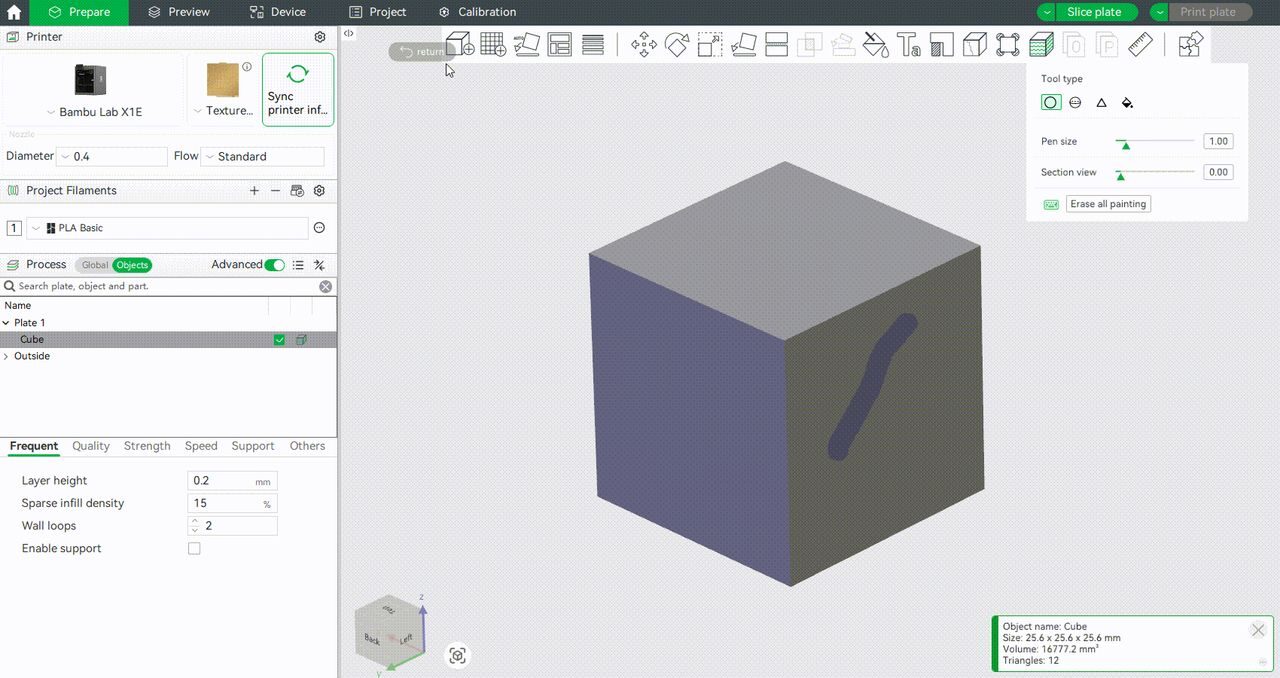
Fuzzy Skin Painting: Fuzzy skin has been around for a while now in several slicers. It simply wobbles the nozzle a bit when doing external perimeters, resulting in a “fuzzy” surface. Unfortunately, most of the time, slicers allow it on or off for the entire object. Here, the new feature allows operators to “paint” areas to which fuzzy skin will apply.
Remote Part Skipping: Sometimes, in multiple-part print jobs, one of the parts fails. You want to stop wasting material on that part but continue to print the surviving parts. You can do this on the X1C and H2D machines from the touchscreen, but the new software now allows operators to do so remotely via BambuStudio. This is far more useful than the previous method, which required you to be physically present at the machine. This feature should save quite a bit of filament for operators.
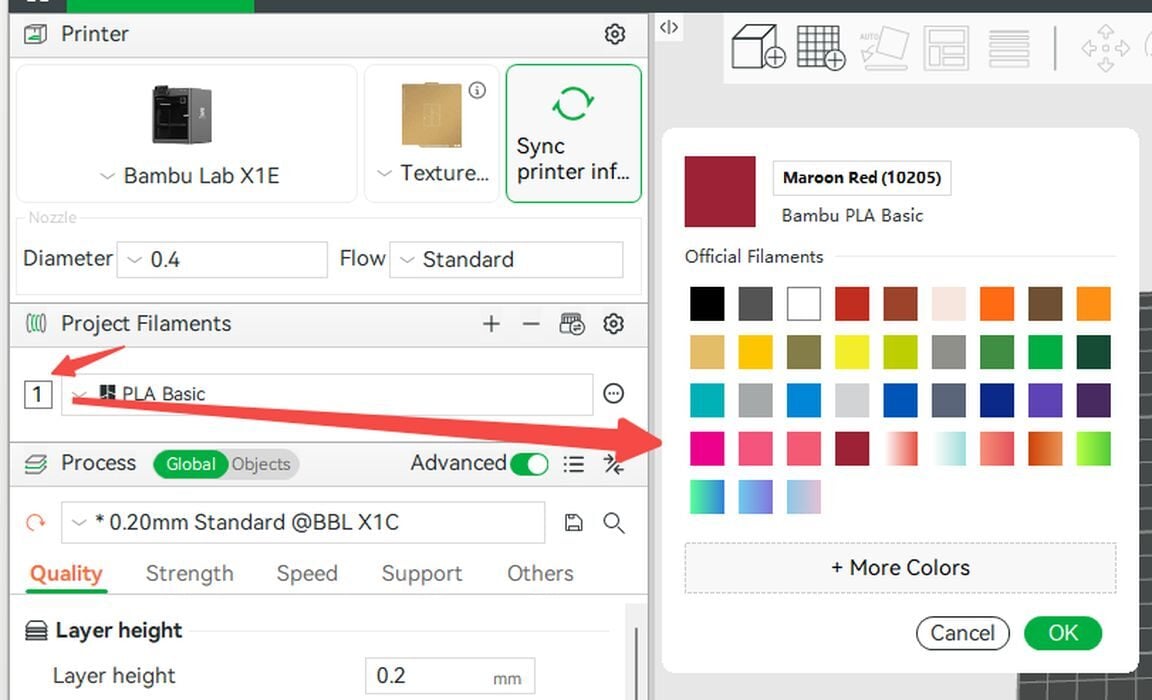
Color Selector Improvements: Bambu Lab has integrated their materials portfolio into BambuStudio (see image at top). The filament color selector now displays the entire official list of colors for each type of material, making it far easier to select the exact color. Bambu Lab designed this specifically for colorblind operators to more easily select colors, but it will benefit everyone. However, third-party materials won’t get the same treatment.
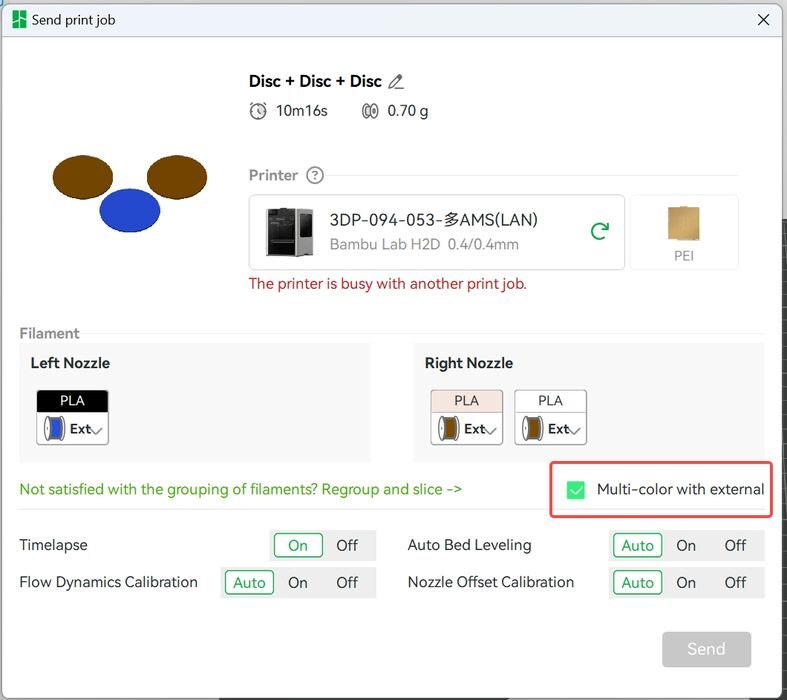
Multimaterial Prints without AMS: This feature enables insertion of pauses during print jobs to permit manual spool changes. This isn’t simply a layer-pause, as has been around for a while. It seems that you can literally do a multicolor 3D print using this approach. This is really intended for the dual-nozzle H2D system, when an AMS is not present or out of order.
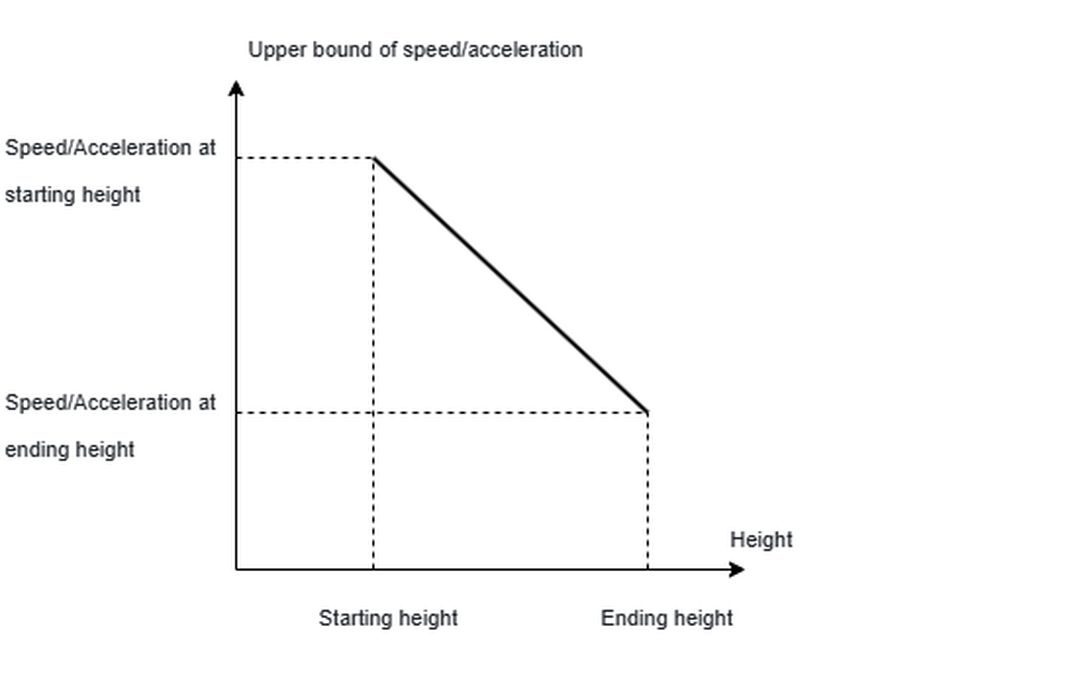
Height-based Acceleration: Those who print very tall, spindly objects will appreciate this new feature. Tall prints tend to get messed up near the top because they can more easily wobble. That puts the model out of place when extrusion happens, compromising print quality. The new feature automatically slows acceleration and linear speed as the layer height increases. This will increase print time, but provide a better quality result. There are a number of settings available to tune this feature for specific jobs.
That’s not all. There are multiple other new features, along with a series of bug fixes.
One more observation: some Bambu Lab operators prefer using OrcaSlicer instead of Bambu Lab because it offers a few more features and capabilities. However, those operators were upset because Bambu Lab made some security changes that resulted in OrcaSlicer not being able to directly control the 3D printers. Eventually, this led to Bambu Lab introducing a new “developer mode”, where OrcaSlicer could continue to work.
I was baffled by all this, because both OrcaSlicer and BambuStudio are open source. This means it is entirely possible for each to adopt features present in each other. If some Bambu Lab operators wanted features present in OrcaSlicer, then Bambu Lab could simply include them.
Well, it turns out they are doing exactly that: the new Fuzzy Skin painting feature comes from OrcaSlicer. Bambu Lab writes:
“Special thanks to OrcaSlicer for contributing to this feature.”
In fact, several of the new features and fixes are sourced from OrcaSlicer. The gap between the two tools isn’t as large as some might believe.
Via GitHub
