Hi3D has upgraded their AI 3D generative service to 3.0.
Hi3D is one of several companies vying for the text/image to 3D market. These services accept a text prompt or source image, and then generate a 3D mesh, often suitable for 3D printing. It’s a way to very quickly generate complex 3D content.
The biggest new feature in 3.0 is the resolution. Hi3D v3.0 can generate results with 2048 x 2048 x 2048 voxels, up notably from prior releases. This is likely the first service to achieve this level of detail.
Hi3D v3.0 also can handle textures up to 8K, which would be very handy for generating visual assets. Less so for 3D printing.
The company also claims they have adjusted the generator to produce geometries that require less cleanup. This is often a problem in generated meshes, where they are often not quite correct.
I gave Hi3D v3.0 a try using their handy mobile app.
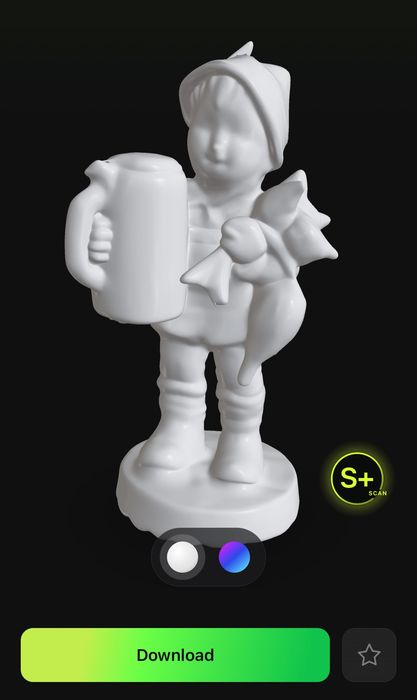
The app is quite easy to use, and actually costs nothing to use. It guides you through a scanning process that should be easy enough for anyone to follow. The guide takes you on a series of sweeps around and over the subject in different directions, and it can be done in minutes.
The scanned information is then sent up to Hi3D’s cloud servers, where it takes a fair amount of time to process. In my testing, I’m not even sure how long it took: I started working on other stuff and eventually came back an hour later and saw that it had completed. In other words, don’t expect instant turnaround.
The results were quite good. I scanned a small Hummel figurine that I often use for testing 3D scans.
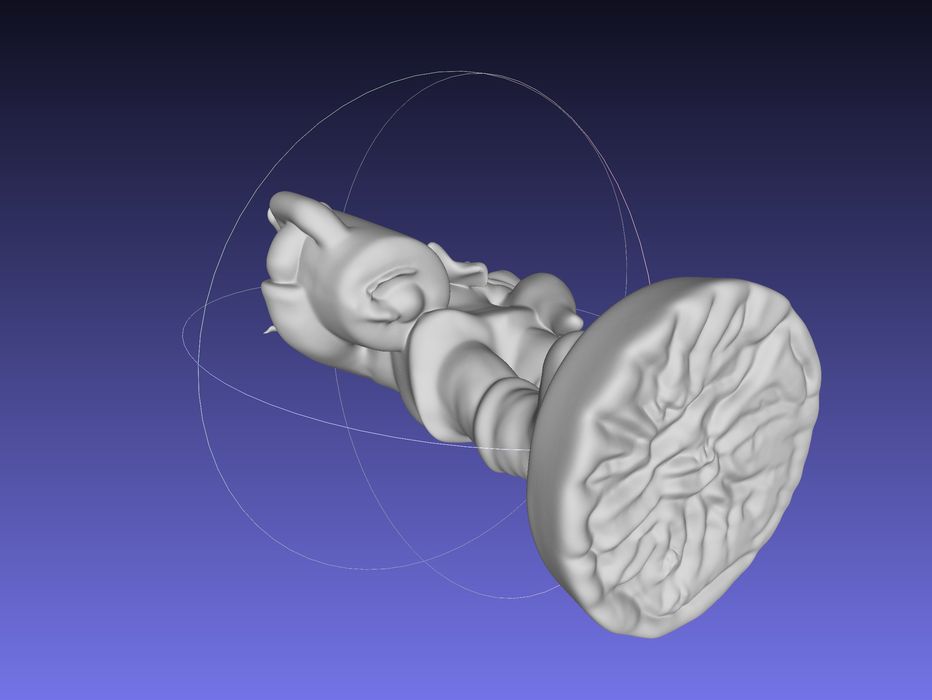
The mesh was indeed watertight, and they had correctly snipped off the “floor”, that is often attached to 3D scans. However, the snipping didn’t leave a completely flat surface on the bottom. That means you’ll have to use a 3D editing tool to slice off the bottom.
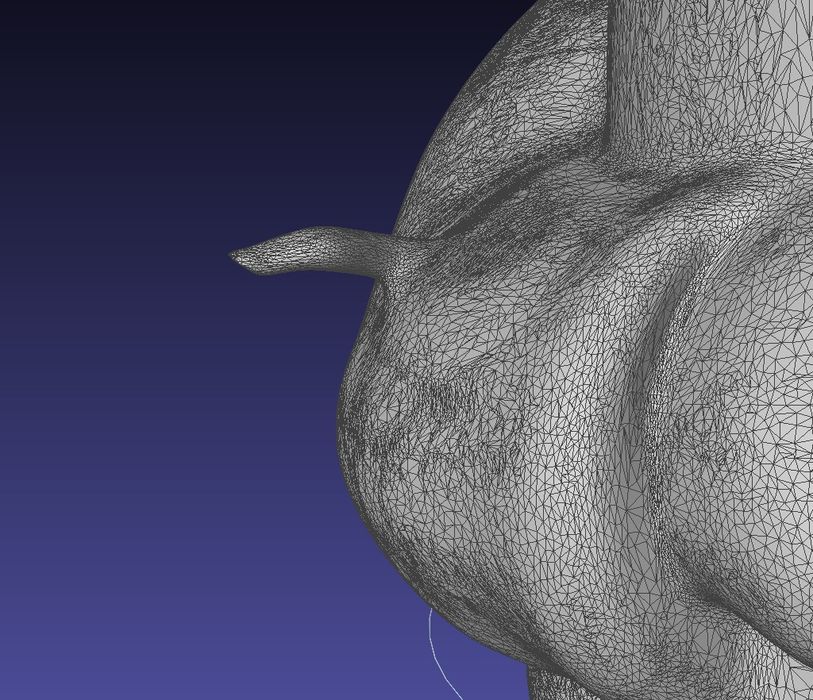
The only error in the mesh I found was this slight protuberance on the little fellow’s arm. I have no idea how this happened, but it’s easily fixed with almost any 3D editor.
The Hi3D app lets you download the scan in GLB format, which is not a 3D printable format. However, it’s very easy to convert GLB to STL by using any of several utility software tools. I used Meshlab, which is both excellent and free.
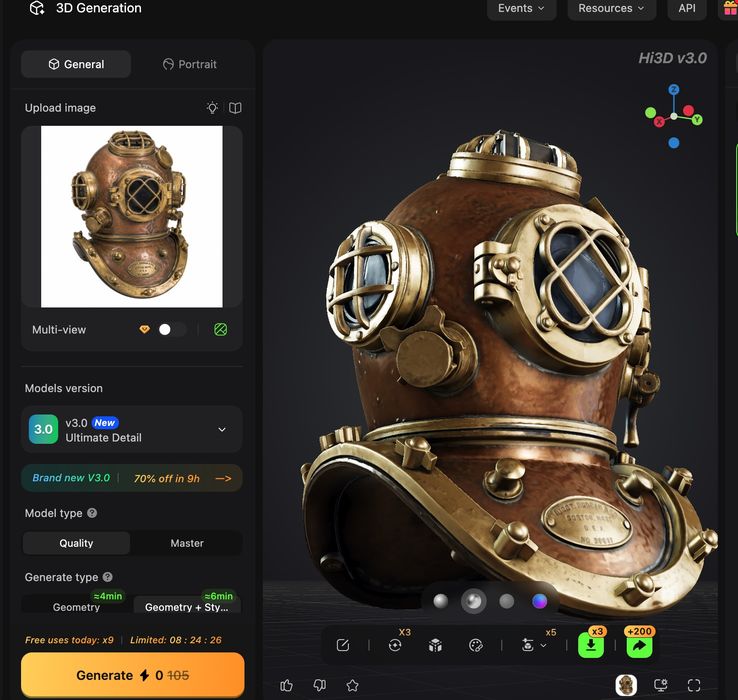
For generation, I tried to convert an image to a 3D model. I created a 2D image of an antique diving helmet as the subject and uploaded it to Hi3D. You can see at top the input image and the 3D result.
Generation was not fast. It is possible to get faster generation by purchasing the premium option, but I was feeling cheap on test day.
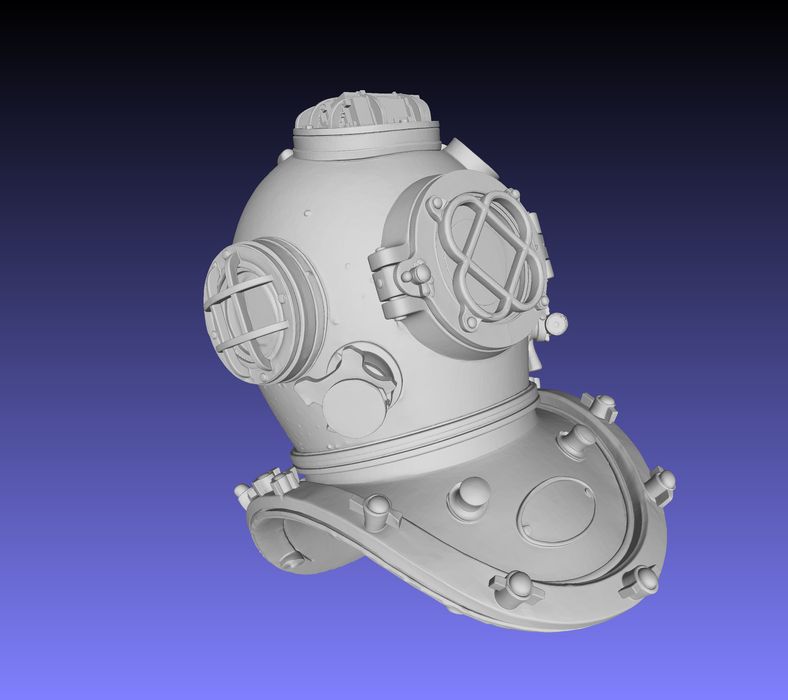
The results, however, were ridiculously good. The helmet, even without the texture, is astoundingly crisp and even features some dents. It’s completely watertight and can be immediately 3D printed — although this particular model would require a bunch of support structures, as there is no flat bottom.
I’m very impressed with Hi3D 3.0. It generates incredibly good output that is directly 3D printable.
Via Hi3D