
Well, if this isn’t a surprise, I don’t know what is.
Simplify3D has released version 6.0 of its powerful independent, third-party slicing software.
Why is this a surprise? The last update we published on Simplify 3D was their upgrade to version 5.1, which was in May of 2023 — that’s 43 months ago, going on four years.
To put that in perspective, that was only a few months after Bambu Lab launched their first device, the X1. In other words, the world we last saw Simplify3D update their software was basically pre-Bambu Lab.
And that means so much has changed since then. PrusaSlicer, Bambu Studio, OrcaSlicer and others have all continued evolving massively in that time, and are now (or variants of them) each very powerful and commonly used for almost all equipment.
Simplify3D would have to come up with some pretty amazing features in order to compete in today’s world.
Did they?
Maybe. I have yet to try Simplify3D 6.0, but there are quite a number of very interesting features — over 50 in all, according to the company.
The major emphasis seems to be a complete rewrite of support structure generation.
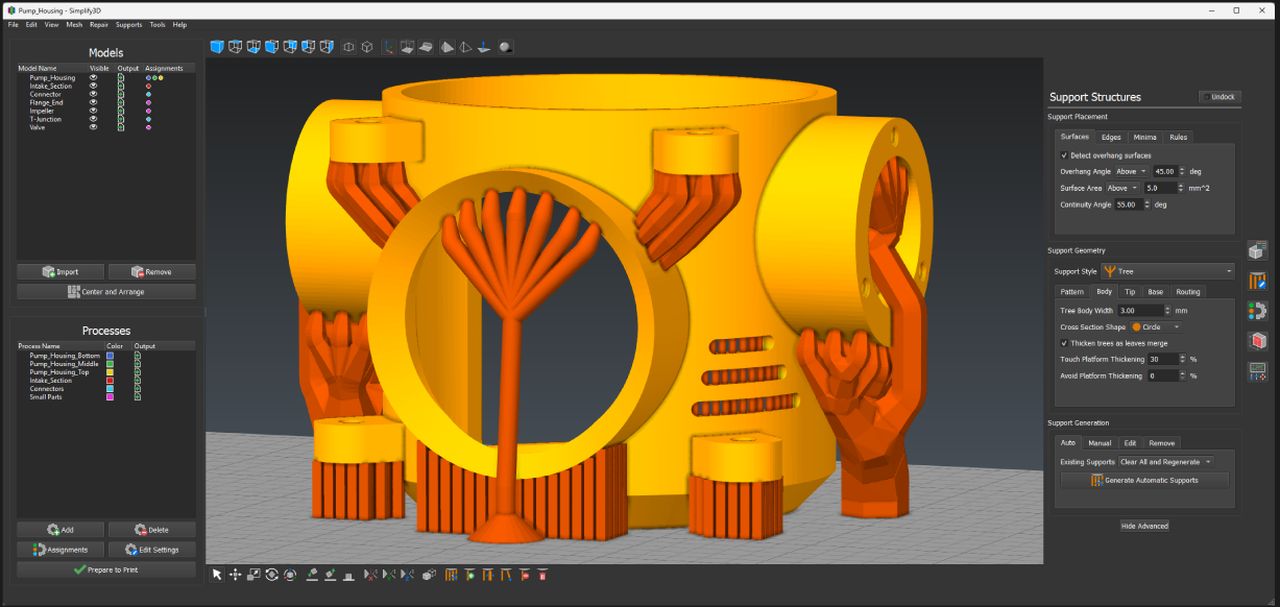
Support structures are a necessary evil in FFF 3D printing, and we always have issues with them. That might change with Simplify3D’s approach, which is quite a bit more flexible than what you’re used to using.
Typically, today’s slicers allow for a single support structure configuration for the entire 3D model, unless you create awkward “modifiers” that allow for a zone to have a different set of parameters. Simplify3D 6.0’s approach is different. They now offer “hundreds” of different ways to create unique support structures that more perfectly match the situation.
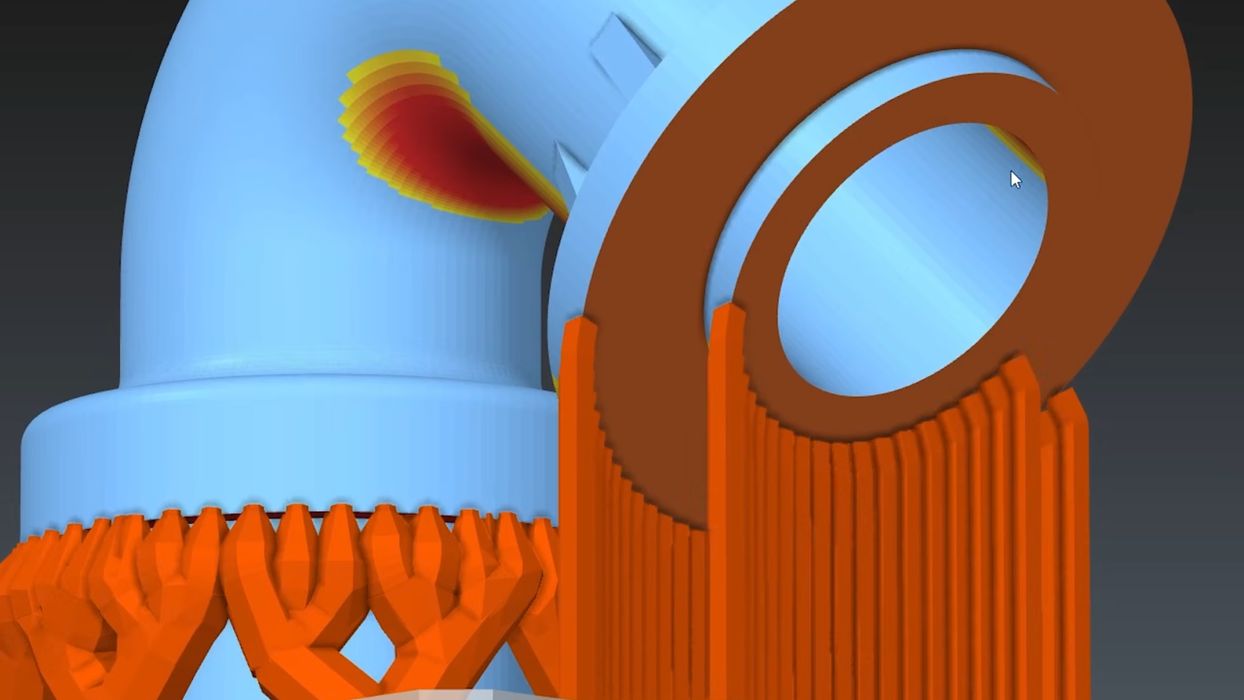
For example, they have five different base structures: tree, pillar, gusset, fan, and mini. And these can be mixed in a job. You can edit them visually in real time, just like painting colors — BEFORE slicing. This is unprecedented, and should be far more fun to use. One really intriguing capability is to select an edge and generate supports for it.
The new supports are also economical, requiring less material than competing systems.
There’s an interesting “heat map” feature for overhangs, which allows users to more easily find spots that need support, or decide whether to take a risk with them. The system can also produce all this stuff completely automatically, as well.
Similar to the real-time support editing, you can also do “visual process assignment”. It’s kind of like “modifiers”, but instead of assigning process parameters to anything inside a geometric block, here you select the feature: a surface, a raised area, text, etc.
They now support up to 16 colors/materials per job, which is something that didn’t really exist before 2023.
Similarly, they can now export .3MF files, again something that was not as widespread back in 2023.
The new Simplify3D also has dramatically improved mesh repair capabilities, mesh reduction accuracy, and visual preview contrast.
Simplify3D 6.0 also includes new and extensive visual simulations of printing action, including representations of the major brand models, with all kinds of toolhead configuration simulations. You basically see what your 3D printer will do ahead of time.
Simplify3D also says they have new direct integrations with Creality, Snapmaker, and Bambu Lab. However, I’m not quite sure how the Bambu Lab integration works because that company insulates their systems with a connection layer for security reasons — unless you are in LAN-only mode. Simplify3D says their support is LAN only, so perhaps that is how it works.
The list of features is quite impressive, and it will have to be to compete against today’s slicers.
Via Simplify3D