
A new open-source tool is ready to help manage your Bambu Lab 3D prints.
Bambu Lab has definitely taken over a huge chunk of the 3D printer market, and perhaps is the number one seller these days. This means there are a very large number of Bambu Lab devices out there, all busily printing.
Most of those devices make use of Bambu Lab’s comprehensive cloud services. The online ecosystem not only allows operators to remotely monitor and control their 3D printers, but also to find new 3D models from MakerWorld, share print profiles, prepare new print jobs, and more.
But using those services means you’re connected to Bambu Lab’s servers, and that’s something some operators don’t really want to do. There could be security concerns, particularly for certain types of organizations, especially government and military. For others, it is simply a desire to have full control over the system they’re running.
Bambu Lab recognizes these needs and provides a way to disconnect from their network and operate in a standalone fashion in “developer mode”. That’s separate and secure, but you really do lose a lot of function along the way.
Enter BamBuddy, a new open-source project that hopes to fill that gap. They explain:
“Everything You Need to Manage Your Prints.
Comprehensive tools for archiving, monitoring, and automating your 3D printing workflow.”
The system includes the following main features:
- Print Archive: Automatic 3MF file archiving with metadata preservation, duplicate detection, and photo attachments for documentation.
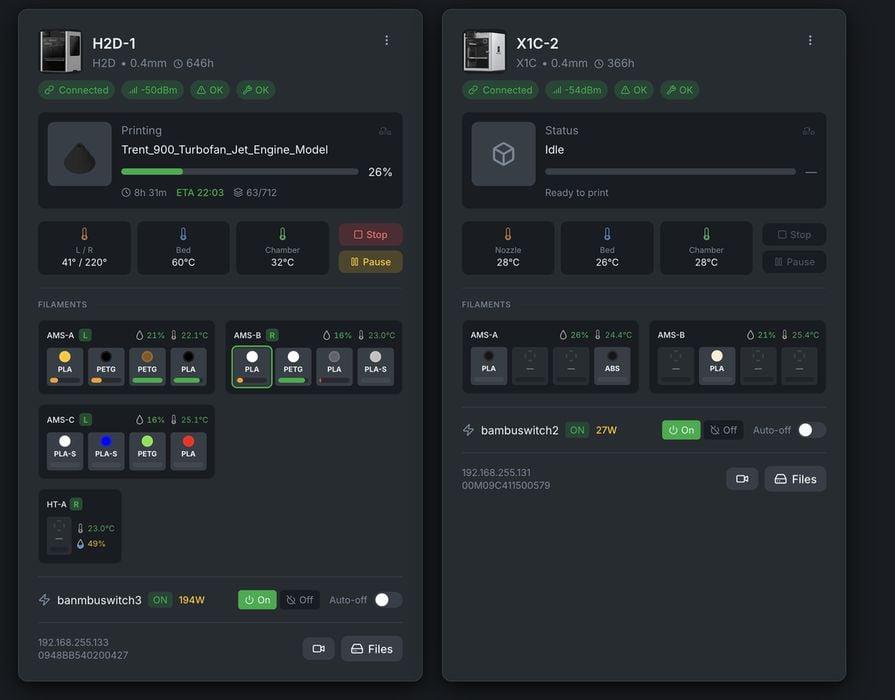
- Real-Time Monitoring: Live printer status via WebSocket, HMS error tracking, and comprehensive analytics with success rate trending.
- 3D Visualization: Interactive Three.js-powered model viewer lets you inspect your prints from every angle before sending them to the printer.
- Smart Scheduling: Drag-and-drop print queue with time-based scheduling. Integrates with Tasmota and Home Assistant for automatic power management.
- Multi-Platform Notifications: Get alerts via WhatsApp, Telegram, Discord, email, Pushover, or ntfy with customizable templates and quiet hours.
- Local & Private: Your data stays on your network. No cloud accounts, no external dependencies, no privacy concerns.
Using BamBuddy is straightforward: it’s a Python system, so you only need to install it on a handy local server or your PC, and it is up and running. They provide a Docker package for super-easy installation.
BamBuddy provides a very well-designed view of your Bambu Lab 3D printers and print history. There’s even a way to schedule print jobs in advance, as well as regular maintenance reminders. Notifications are sent not only through email but can also go to WhatsApp, Telegram, Discord, and other platforms.
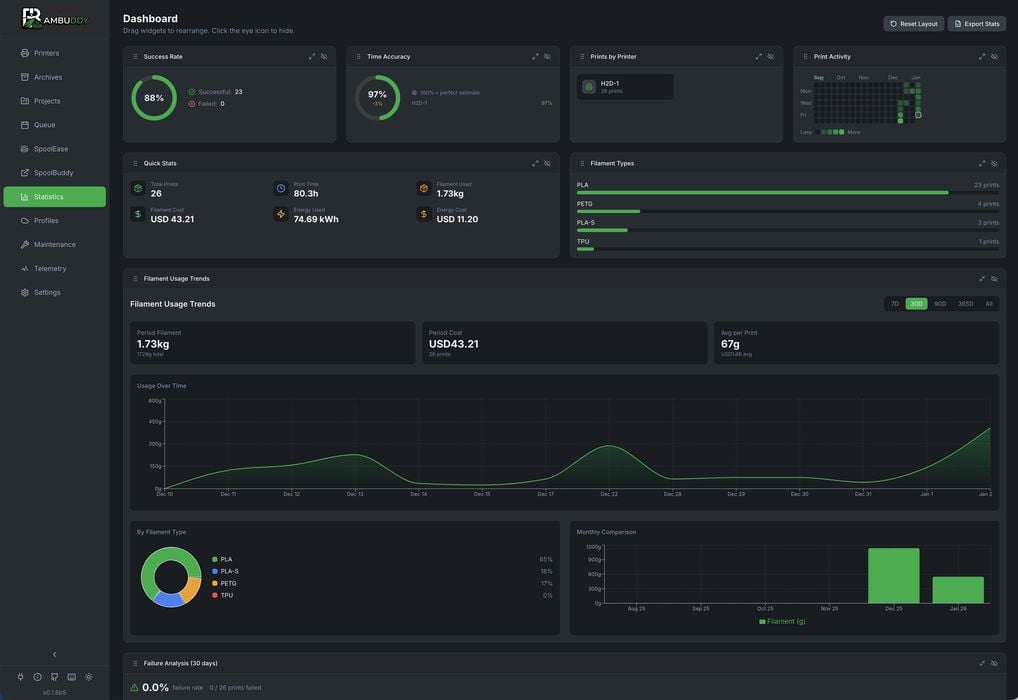
The system also is easily integrated as it provides APIs, web hooks, and more. It even connects with the popular open-source Home Assistant tool. This means it would be easily possible to do all kinds of unusual automations for your printers: print a new vase every Wednesday morning, for example.
The list of features is basically endless, and I can’t write any more about them. I suggest you take a long read through the very impressive documentation for BamBuddy and consider whether you should use it.
It’s so comprehensive that the features seem to exceed those provided by Bambu Lab’s own cloud. This may entice some users to simply move over to BamBuddy even without the security concerns.
If you have a Bambu Lab 3D printer, you might want to check out BamBuddy.
