
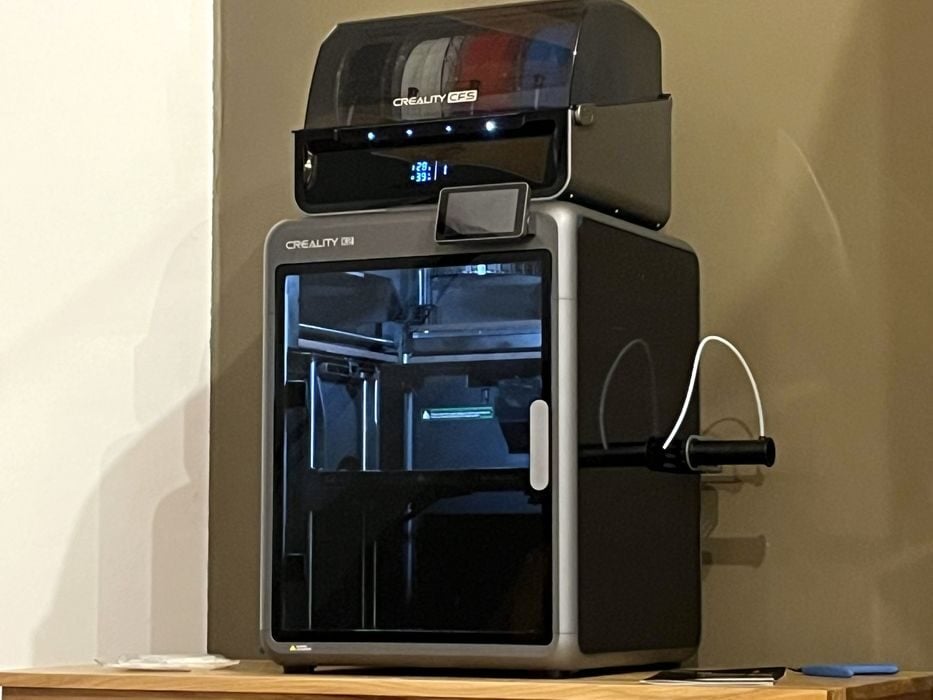
Our look at the Creality K2 Combo 3D printer concludes with final thoughts.
This is part four of a four part series, please read parts one, two and three.
Creality K2 Combo Final Thoughts
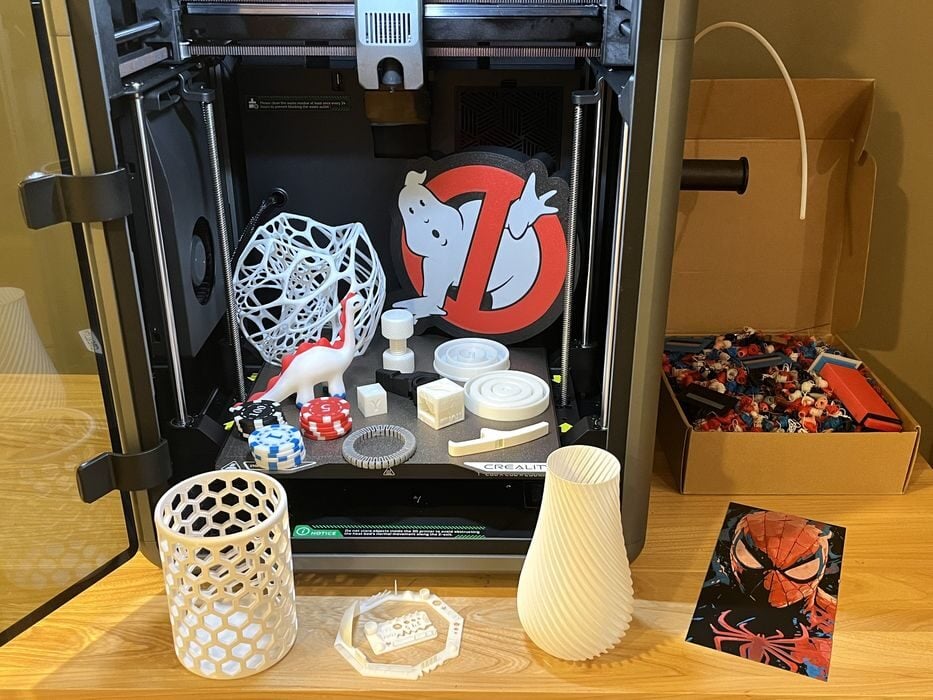
The packaging of the K2 Combo has been well thought out. Not only have Creality clearly sorted out how to pack a printer, CFS, and accessories into one compact shipping box that can get a printer to destination undamaged, but they have also made use of the exterior packaging in a creative way.
Clear concise unpacking instructions were printed right onto the outer flaps of the box itself. If that wasn’t enough, Creality even included a QR code that points directly to an online video with a great overview of unboxing, assembly, loading filament and even launching the first print.
In addition to all this, the printed installation guide was the first thing we saw when we opened the box. This strategy is aimed directly at the novice market and will be of great help to anyone setting up their very first 3D printer. All of this upfront information would be very comforting to a nervous first time 3D printer purchaser.
The K2 and CFS don’t really have much to do in the way of assembly and what there was to do was fairly easy and the instructions to do so were clearly articulated. There was even a label on one of the hex wrenches to show that it was the specific tool to use for unboxing.
Initial calibration of the K2 was all automated and seemed to work as designed, as we didn’t have a single print failure for the duration of the review. We just had to do the calibration twice because of the firmware update and order of operations.
We did have a small issue with the Creality Print software when slicing multicolor prints, where important info on flush calculated totals was missing. This was short lived though, as a new version of the slicer was available the very next day that corrected the issue.
That said, an older slicer version from a previous printer review seemed to give more accurate physical flush amounts, so the newer slicer may yet need more updating. This is not unusual given the pace at which machines are released. The software can tend to lag a little bit behind manufacturing and the printer is a new release after all.
The K2 is generally a very quiet printer while in operation, but filament purges can get a bit click-clicky-click loud with all the nozzle wiping during multicolor prints. This became especially apparent when printing the dino, as it went through seemingly non-stop filament changes for the duration of the job. So spoiler alert, don’t launch something like that before going to bed.
We really liked the bright lighting of the K2’s build area and often tossed finished prints back onto the build plate to take a quick review pic. The brightly lit chamber would also be a big plus for the folks that love their timelapses.
We were a bit surprised that there wasn’t a supplied method for catching all the filament poop generated while printing, but we were able to quickly fashion a simple solution using a magnet and an old cardboard box from a previous HI Combo review. This is something Creality should keep in mind.
The K2 offers AI detection to prevent print failures from getting out of control. A great feature to have, but unfortunately we realised only at the end of the review that this setting is off by default. Not a terrible thing, as we hadn’t a single print failure. We decided to test it out and activated the feature, choosing “Conventional” as the preferred method.
Then we sliced and sent a brimless ABS Bottle Opener Whistle to see what would happen. As expected, the print warped and detached from the build plate and started to spaghetti. The AI caught the problem fairly quickly and stopped the print, announcing on the LCD screen, “A print quality issue has been detected and printing has been paused”. So, “yay” for AI!
The K2 Combo seems to be a quality build machine and performed quite well during the course of the review. It is definitely aimed at the 3D printing beginner market with its build size, automated features, and all the important instructions any novice would need to get their first machine unboxed, assembled, and up and running.
The machine gave us some great prints and even looks good too, although all the fancy reflective surfaces made taking pictures for the review a challenge at times.
CREALITY
K2 COMBO
★ BEGINNER 10/10
★ ENTHUSIAST 8.5/10
★ PRODUCTION 7/10
BEST FEATURES
✔︎ Reliable printing
✔︎ Great instructions
✔︎ High quality prints
QUESTIONS
✖︎ AI off by default
✖︎ Noisy filament changes
✖︎ Purge software issue
This is part four of a four part series, please read parts one, two and three.
Via Creality
