
There’s been an interesting update to 3DFilamentProfiles. Two, actually.
Readers may recall we had a story about this online service a while back. Essentially, it provides an online database for your filament spools. You would select the ones you have on hand from their extensive database and add them to your account. This would provide all sorts of interesting and useful information about the material. This is especially useful if you don’t have the label for a spool.
But one thing I noticed when I previously examined the service was the lack of print profiles. Inventorying spools is one thing, but to really engage activity you need print profiles, because they allow the filament to be properly used on a 3D printer.
Strangely, the site named 3DFilamentProfiles did not have profiles!
But now, they do.
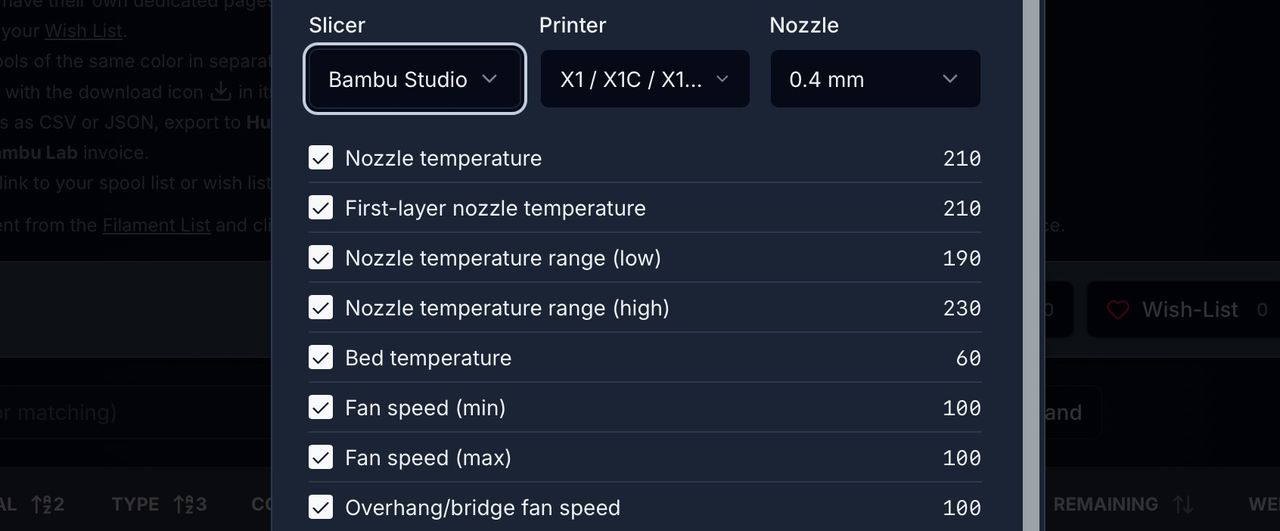
It works in a similar fashion to the spools: each material type has an associated print profile. At the moment, they are compatible only with BambuStudio and OrcaSlicer, for Bambu Lab equipment.
To use the profiles, you simply select one of your spools and hit the “download” icon. It then presents you with a long list of printing parameters. These are collected from “community data”. In other words, they should, theoretically, be better than the stock print profiles because they’re based on actual user experience. Whether that is actually true remains to be seen, but this seems to be a reasonable attempt at crowd knowledge.
You then select the specific 3D printer model (again, from the list of Bambu Lab models or “generic”), and you download the profile.
Once downloaded, you can then import them into Bambu Studio (or OrcaSlicer) and use them directly.
This could be a great way to maintain profiles if you have a wide range of different filaments.
And that can be helped by 3DFilamentProfile’s now rather astonishing inventory of filaments. The site’s builder, Mark Carroll, told us they have now hit an amazing 35,698 filaments of 1211 brands. They are also track about a million spools between all their users. Incredible!
If that wasn’t enough, the site also now offers an API.
This is extremely interesting because it could bring about big changes in how we all use 3D print slicing software. Let’s imagine how this might work in the future.
You load up your slicer, and select a material. When you do that, the slicer automatically uses the API in the background to go to 3DFilamentProfiles and pulls the latest and best profile for that specific filament. It’s then ready for you to use.
Will this imagined future actually happen?
Probably not. Each slicing tool is more or less tied to a specific 3D printer manufacturer, and their goal is to make it as sticky as possible. They want you to use only their ecosystem, so that you would tend to buy more equipment and materials from them. They don’t want you going anywhere else. So would they permit integration of a tool that would effectively encourage the use of third party filament spools? Maybe not.
On the other hand, it could be that pressure from operators may be sufficient for them to justify allowing the feature.
That’s a fanciful future that may not ever come to pass. But for now, 3DFilamentProfiles seems to be increasing in function rapidly.
Hopefully they will add the capability to handle more specific 3D printer model profiles, and additional slicers.