
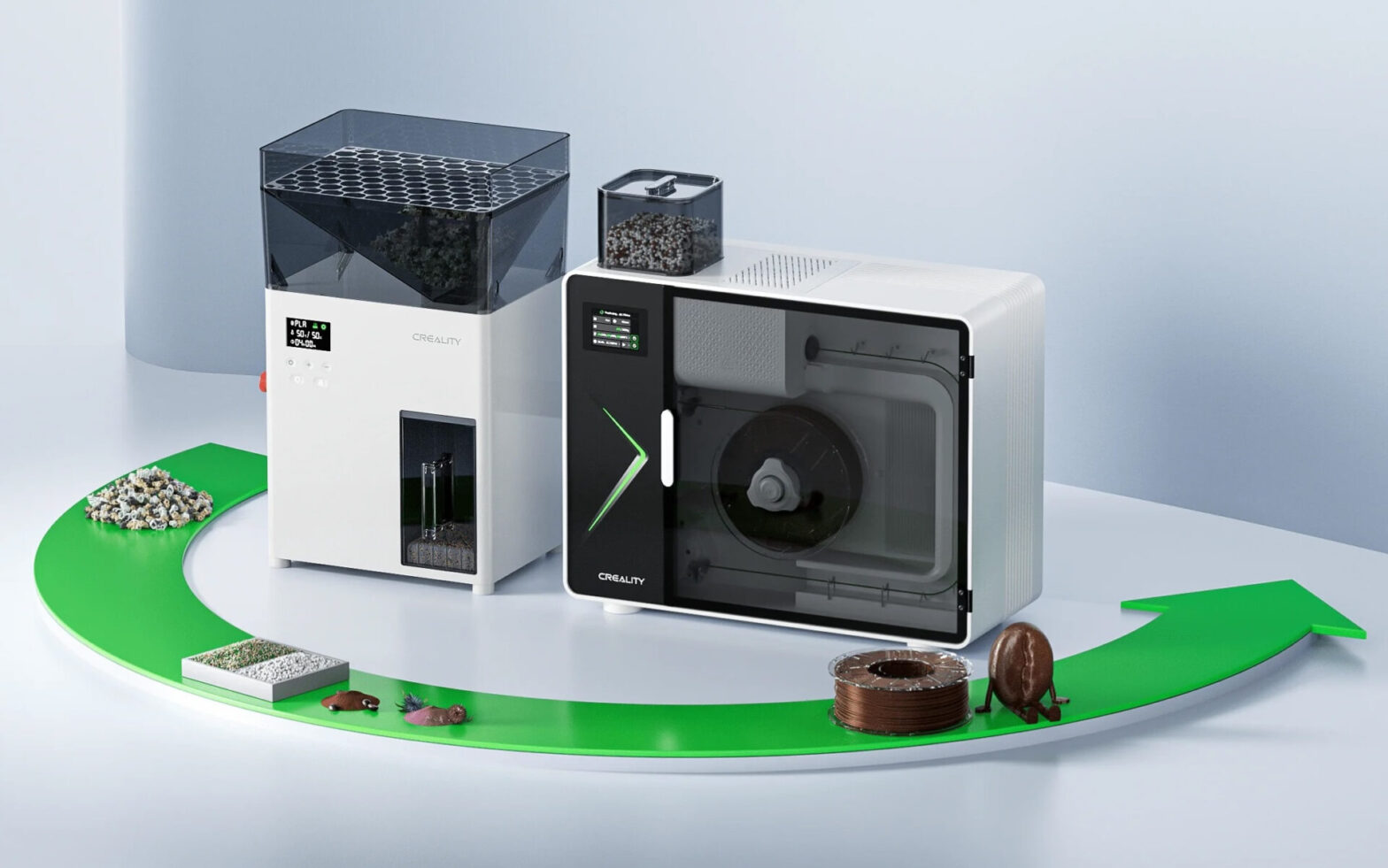
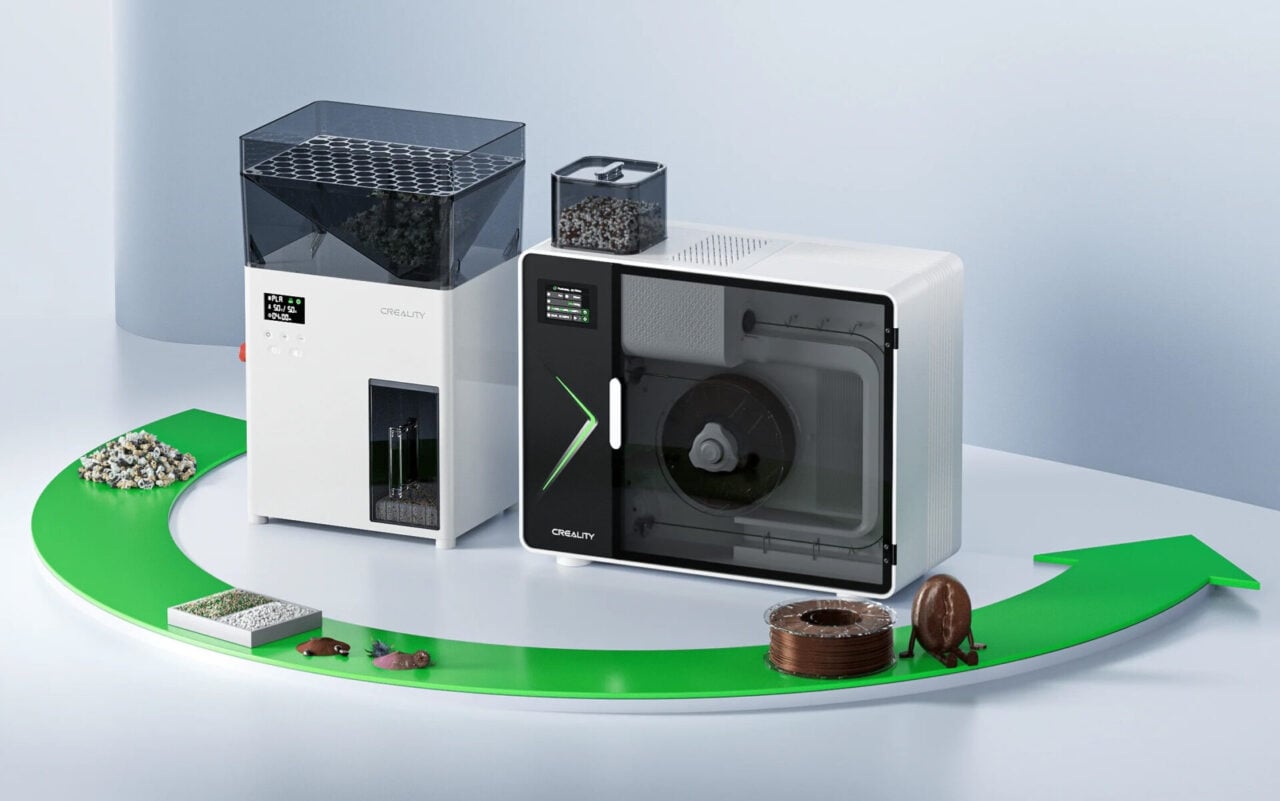
It’s official: Creality has released their filament recycling system, the Filament Maker M1 and Shredder R1.
This release is not unexpected; Creality has been hinting about it for a while now. However, this week it went live, and the ability to order one of these systems is dangerously close.
The premise is that 3D printer operators must deal with all manner of 3D print scraps: leftover support material, cut-offs, ruined prints, earlier design iterations, poop, etc. If you think about it, to obtain one good print, you have to pay a “plastic tax” of all that overhead. In some cases, it can be substantial.
All of that waste is officially not recyclable. That’s because virtually all municipal recycling services require plastic waste to contain a specific recycling stamp. That’s how they sort incoming waste: by plastic type. Anything else, especially unlabelled 3D print waste, goes to the landfill, regardless of its actual recyclability.
So Creality is attempting to solve the problem by launching the M1/R1 pair. There are two devices in this system because there are two steps involved: first, the waste must be broken down into more or less uniformly sized small bits. The second stage is to push those bits through a hot extruder and extrude fresh filament. Oh, I suppose there’s a third stage: collecting the fresh filament and neatly winding it up on a new spool. The R1 unit does the shredding into bits, and the M1 unit extrudes and spools the new filament.
Making Filament
I’ve written many times in the past of the challenges in making proper filament. Here are some of the normal concerns:
- Uniform material type (can’t mix PLA with ABS, for example)
- Consistent diameter (won’t print properly unless within 0.05mm, typically done with multiple laser sensors)
- Color (is a mix of the input material colors)
- Moisture (scraps MUST be thoroughly dried before extrusion)
- Spooling (take-up system must perfectly match the extruder’s output speed or filament thins out)
- Cooling (extruded filament must be slowly cooled to ensure consistent shape and diameter)
- Molecular Degradation: After each heating, polymer molecules tend to break apart, making each subsequent cycle less strong and more “flowy”.
Virtually all prior systems failed at one or more of these challenges. How has Creality dealt with them? Let’s look at it one at a time.
Uniform Material Type
Here Creality is saying that the M1/R1 system is really just for PLA material. That instantly simplifies the situation. But it also means operators CANNOT accidentally mix materials, or use poops that have two types of materials present. There’s a possibility of human error here. Creality also said you should not use “aged or moisture-exposed waste, UV-exposed or visibly degraded filament”.
Consistent Diameter
Normally this is done in filament factories with two or three laser sensors measuring the diameter of the extrusion continuously from different angles. There would be a feedback loop to the speed controls to control the extrusion: if too thin, slow it down slightly, etc.
In this system Creality does not explain how this is done. Very likely they have one or two diameter sensors inside the M1 to monitor the extrusion, but they are not likely to be expensive lasers. There must be sensors of this type or the system would not work at all.
Color
In the examples shown on Creality’s introduction page all input seems to be a mix of colors. This would normally result in a smudgy unpredictable colour being extruded: “it’s always beige!” However, in a very brief flash in their video they explain that you can put in 50g from the “masterbatch”. A masterbatch is a colourant. In other words, you introduce a colour to the mix, and it should come out in the extrusion.
In reality, the masterbatch is normally added to “virgin” plastic pellets that have no colour. Here it’s different: input colours are unpredictable, and so the masterbatch would combine with that to produce … another unpredictable colour.
Spooling
The M1 unit has a proper take-up spooling system that seems competent and easy to use. While it may seem obvious, early filament machines did not have them, and filament would literally pile up on the floor. It appears that Creality’s take-up system follows speed feedback to match the extrusion.
Cooling
In normal filament production, the freshly extruded filament is run through long trenches of perfectly temperate water to slowly cool it down and therefore maintain its shape and diameter. The M1 unit has no such thing, and it is unclear how this is achieved, aside from natural radiative cooling. This could affect the quality (diameter) of the filament produced.
Molecular Degradation
This is a big issue with recycled filament because the molecules are breaking down each time they are heated and extruded. Input material to the M1/R1 system has already been extruded twice: once to make the original filament and once in a 3D printer. Here we’re doing it twice more: once to extrude the new recycled filament and another time when using it in a printer. In other words, that virgin PLA will have gone through FOUR heating and extrusion cycles when you print it.
Because an increasing portion of the polymer molecules are breaking down, the filament isn’t as strong. This means that it will flow easier at the same extrusion temperature. In other words, you would tend to have to use a lower extrusion temperature with recycled material.
But what temperature is that? We don’t know because of all the variables here. The best practice would be to do a temperature tower test on each and every spool of recycled filament to confirm the proper temperature.
Even then, the prints will be less strong. For decorative items, that’s probably not an issue, but for anyone printing mechanical parts that will endure forces, you’d best not use recycled filament.
How can Creality overcome this? There’s one relatively easy way to do so, but they strangely don’t mention it in the machine description. The fix is to simply mix in some virgin PLA pellets with each recycling run. This changes the ratio of polymers in the mix, resulting in a stronger plastic. Easy to do, and relatively inexpensive.
Assessing the M1/R1
Adding this all up, it seems that Creality has done a reasonable job putting together this system. If you’re going to make a desktop device, you simply cannot include a five-meter water bath, so they didn’t do that. However, on the other factors (aside from molecular degradation), they appear to have things covered.
Creality isn’t quite selling the M1/R1 yet, but said they intend on launching it on Indiegogo soon (it’s similar to Kickstarter). We don’t know the pricing yet, but Creality said there will be early bird discounts.
Once we know the price, we can then do some financial assessments. For example, we may find that the cost of the system is equivalent to buying, say, 50 spools of fresh filament. If that was the case, would it make sense for you to buy an M1/R1? Time and arithmetic will tell the story.
Via Creality
