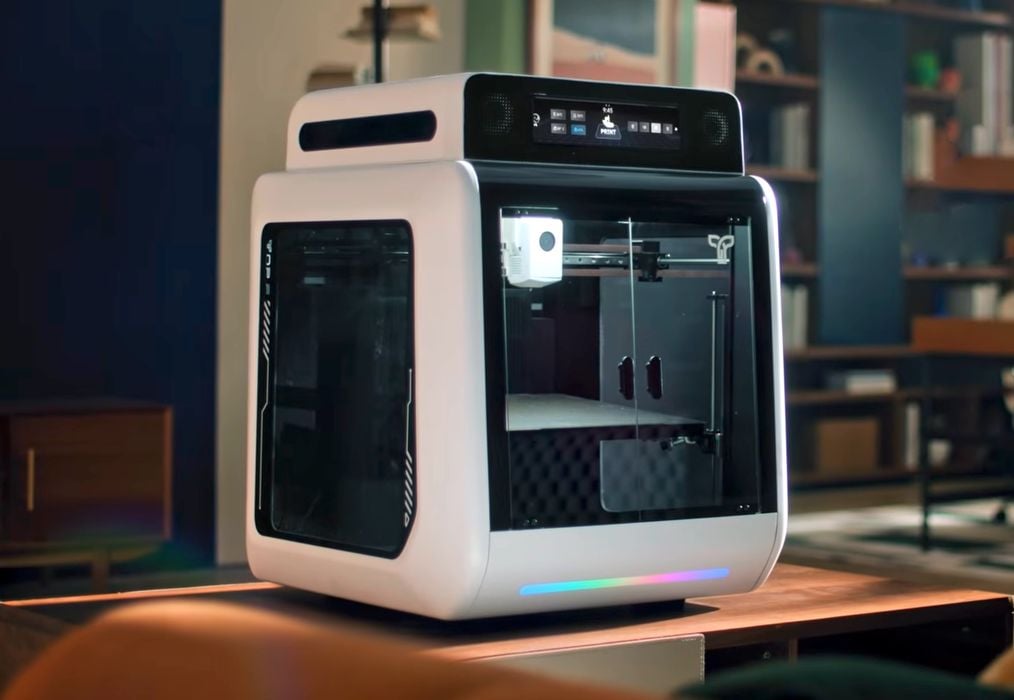
Could this new device be the first desktop 5-axis 3D printer?
Five axes of motion have long been desired by 3D printer operators for a simple reason: you don’t normally need any support structures. That’s because the ongoing print can be reoriented in a way that you aren’t printing overhangs. They defy gravity, in a way.
The problem has been cost. Five-axis 3D printers definitely exist, and have been around for quite a few years. However, they have all carried “industrial-level pricing”. Here we have an option that might break that barrier and allow casual desktop 3D printer operators to use 5-axis tech.
The product is the R1 from a new company, TOP.E (pronounced “top eee”). It’s billed as the “World’s First 5-Axis All-3D Printer
for Family”.
There are two interesting points in that tagline: “5-Axis” and “Family”. No, this is NOT a device intended for prosumer garage engineers to print mechanical parts. Instead, they are absolutely targeting it at regular consumers, even those who have never used 3D printing before. Check out their video promo for confirmation of this:
Five Axes on Desktop
The big question is how do they perform five axes of motion? Most 3D printers use a Cartesian three-axis system, so significant changes would be required.
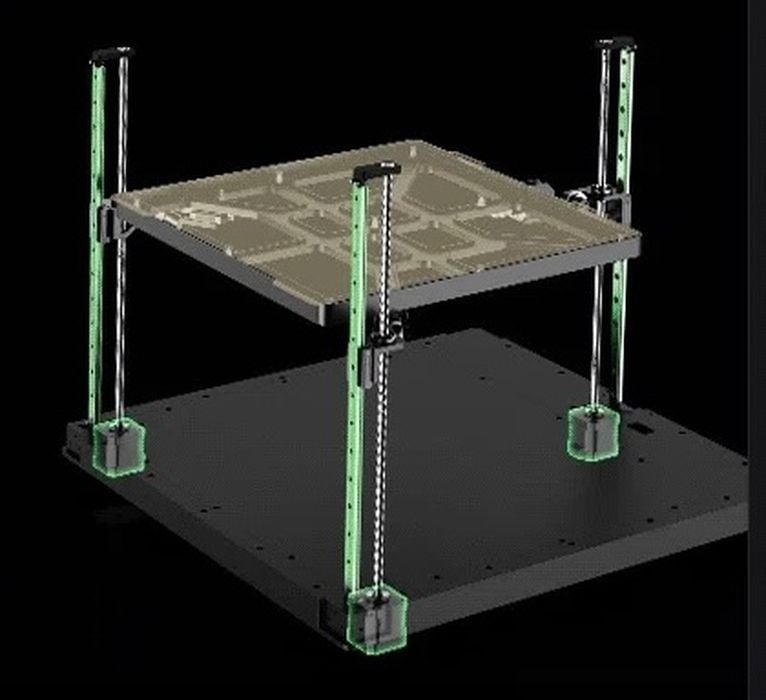
They use the same three-axis mechanisms that you’d normally find in a 3D printer, but then add two more axes of motion by tilting the build plate. They do this by using a unique three-point system for the build plate, as shown above.
By raising the points at different levels, they can tilt the plate. However, there are obviously limits. They can’t tilt it 90 degrees, and not more than 30 degrees as they state. Too much tilt and the build plate would crash into the toolhead anyway. They say the maximum support-free overhang angle is 75 degrees, which is excellent.
This means the device is really a 3-axis machine with two additional partial axes. A true five-axis machine would be able to rotate the print completely upside down, for example.
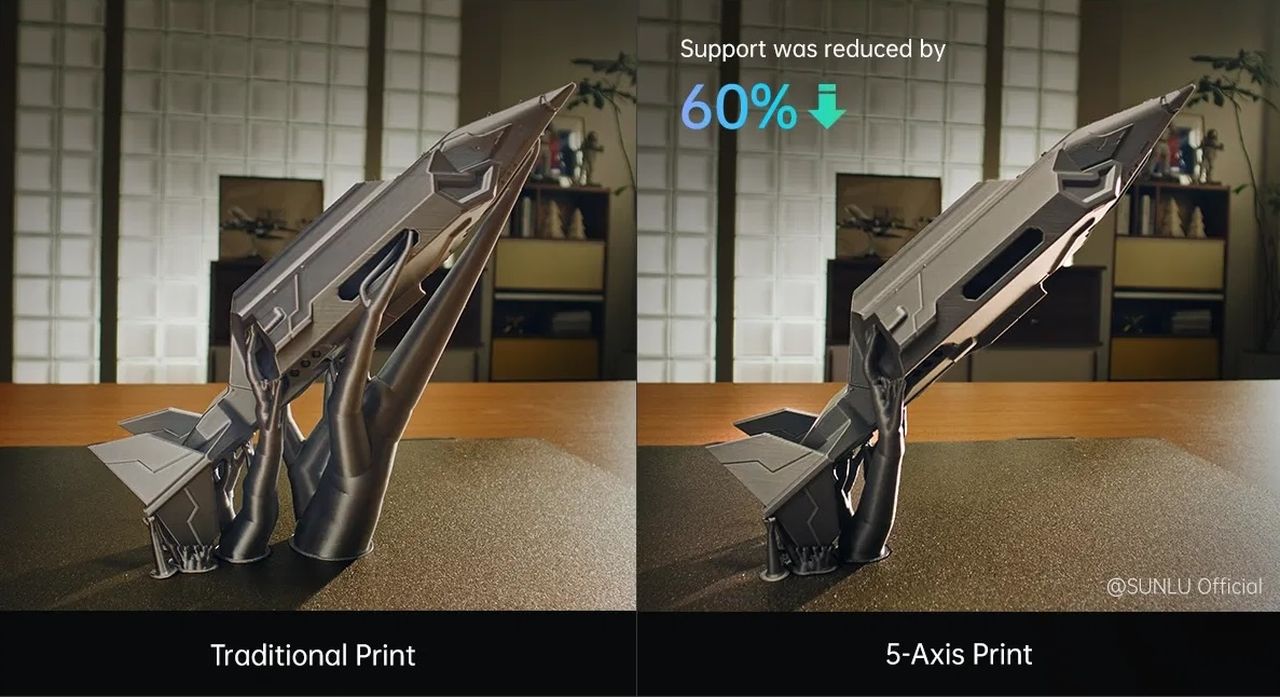
Nevertheless, tilting up to 30 degrees is likely sufficient for the vast majority of print jobs to significantly reduce the need for support structures. That greatly simplifies post-processing, reduces material use, and also reduces print job failures.
R1 Specifications
But what about the machine’s other specifications? It turns out they are pretty impressive:
- Build volume of 350 x 340 x 320 mm
- 350C hot end
- 100C build plate
- 60C actively heated chamber to eliminate warping
- Dual AI cameras for monitoring
- 500mm/s maximum print speed (likely 250mm/s in practice)
- Vibration compensation and pressure advance
- HEPA air filtration
- Supports: PLA, PETG, TPU, ABS, ASA, PC, PA, PET, PPA-CF/GF, PPS, PPS-CF/GF, BVOH
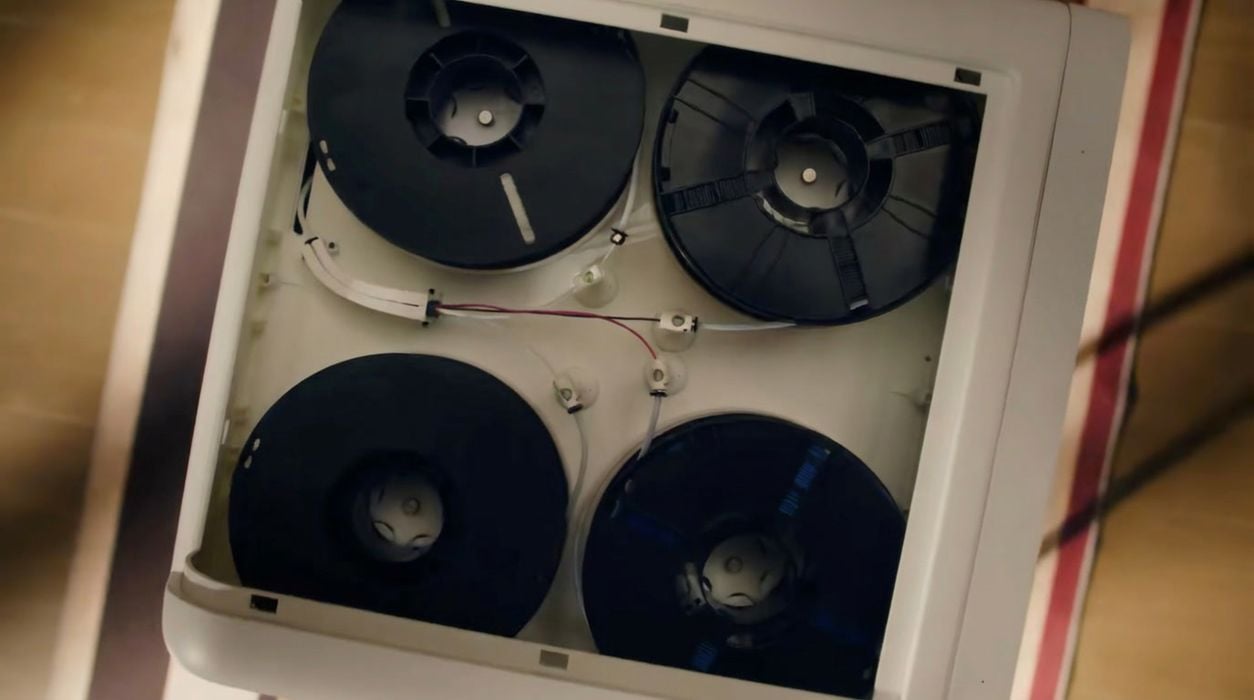
There is one more technical feature I must discuss: the R1 is a four-colour 3D printer. Here you can see four spools of filament mounted, and from their graphics, it appears they mix them in the nozzle. There is no mention of any complex low-purge system, so the R1 almost certainly will “poop” a great deal during 3D printing.
Or will it? They write:
“The slicing software analyzes color regions on the model, such as eyes, fins, or accents, and prints these parts separately using the 5-Axis system. This reduces filament switching, minimizes purge waste, and improves color clarity.”
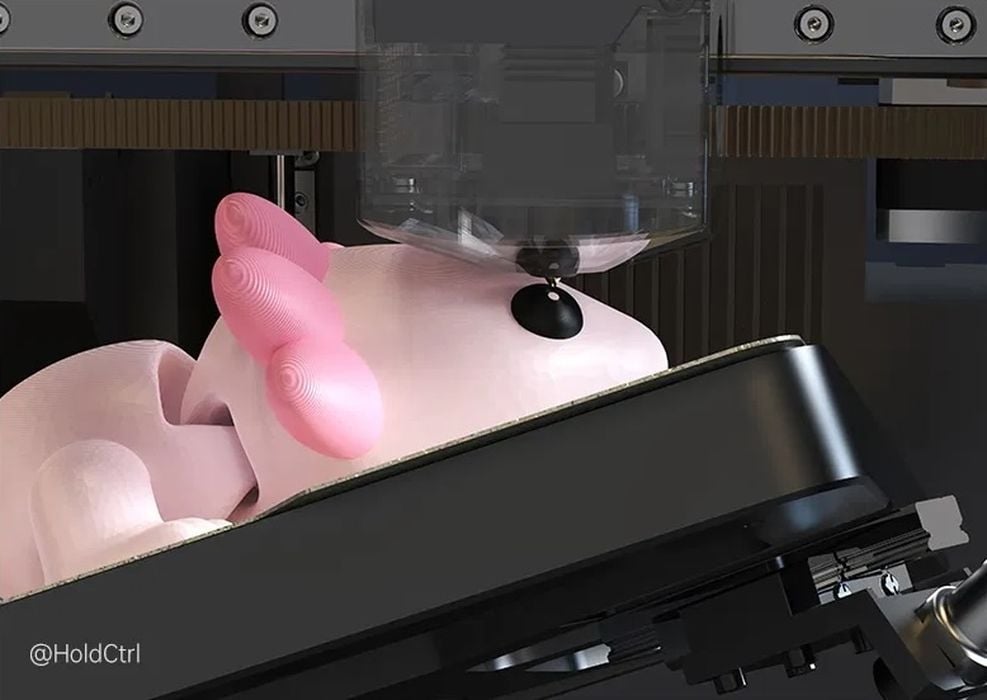
Indeed, it is quite possible there are optimizations that could take place. In this image, you can see them printing an eye on this mouse print, which would be done continuously by tilting the plate. In a normal filament swapping system, you would have to purge for each layer of that eye. I’m now quite interested to see the poop reports on the R1.
R1 Consumer Features
Then there’s the consumer features. TOP.E is targeting the R1 at consumers, so they have added a number of convenience features for them. They have the usual colour touchscreen, AI monitoring, and direct connect to a model library, but there’s a bit more here.
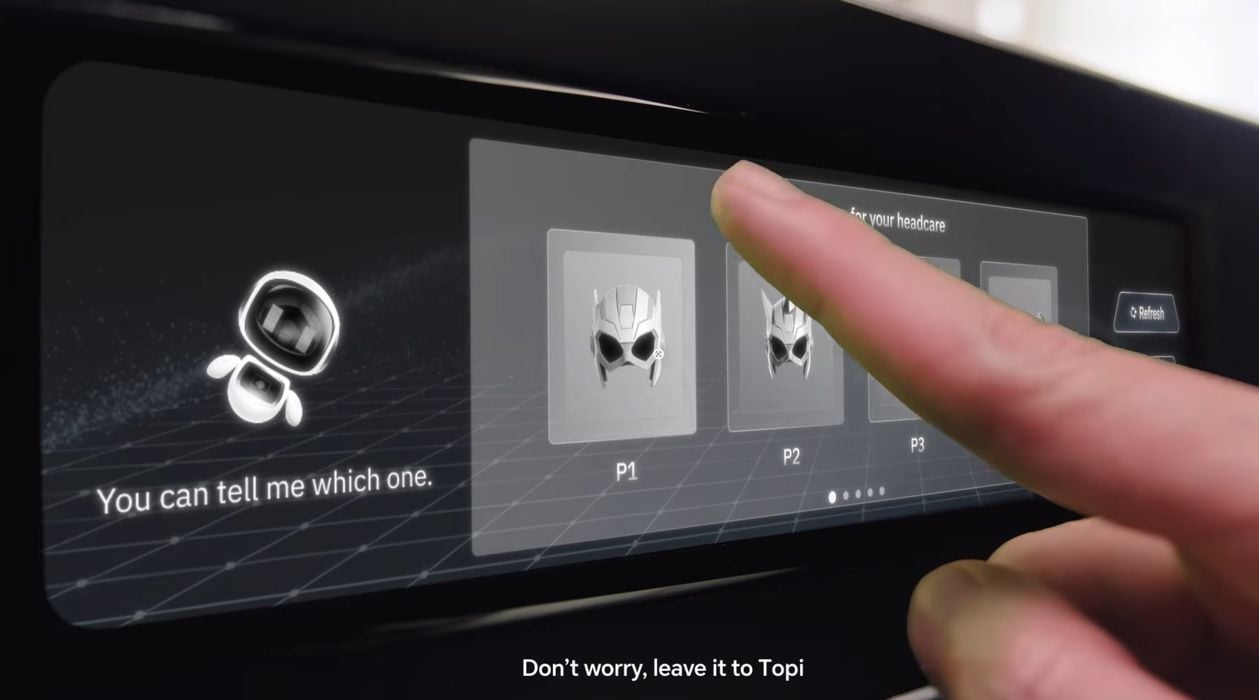
They include a “voice assistant” that is a front end for AI model generators. Essentially, they take a voice request from the operator, convert it to text, and run it through a “text to 3D” system from TenCent in the background. Several versions are generated and presented on the touchscreen for the user to select from.
This is the first time I’ve seen this level of AI integration into a 3D printer. And it takes the technology one step closer to the “Tea, Earl Grey, Hot” level. You literally ask the machine for something, and it makes it.
Or so the theory goes. In practice, I suspect consumers will be disappointed in the results because it is pretty hard to generate exactly what you want. Typically, longer and more complex prompts are required, and that will be beyond most consumers and children. It’s possible they could become quite frustrated with this feature. But we’ll see how it goes.
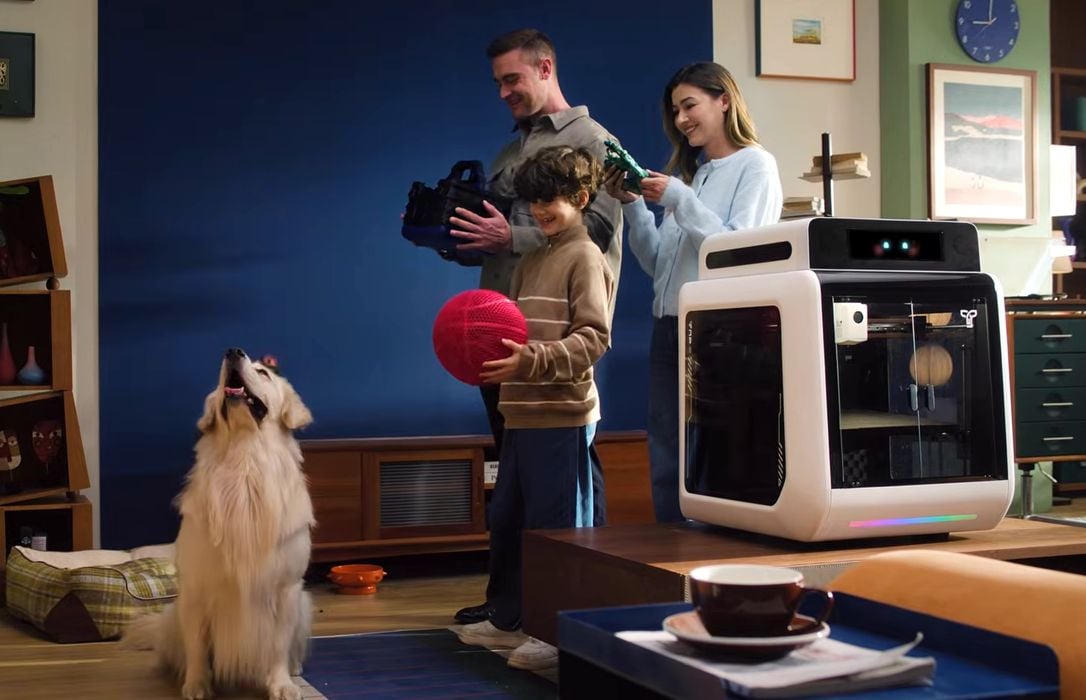
Their video clearly shows that the device is intended to print basketballs, which is a pretty advanced 3D print job that requires special materials.
There’s another thing that is really curious about the R1. As you look through the specs, it is very clear that the R1 is an engineering 3D printer. It has all the characteristics to print advanced engineering materials, like PPS-CF, for example.
Yet it is for consumers? Which consumer is going to print PPS-CF? Do they have a dryer for that material? Does the AI recommend specific materials for generated parts? How would that work? So many questions!
Finally, there’s one more thing to look at. Who exactly is TOP.E? I did quite a bit of searching and found basically nothing, aside from a hint that it is a Chinese company behind the operation. One of their images includes “@SUNLU Official” on it, suggesting they are partnering with SUNLU, likely for materials. The domain names are very new, so this project could be from a brand-new startup company.
If so, it’s a pretty ambitious launch. They intend to launch the R1 via Kickstarter at some point in the near future. Pricing is therefore unknown, but I imagine it is going to be around US$1000 or more.
Via TOP.E