
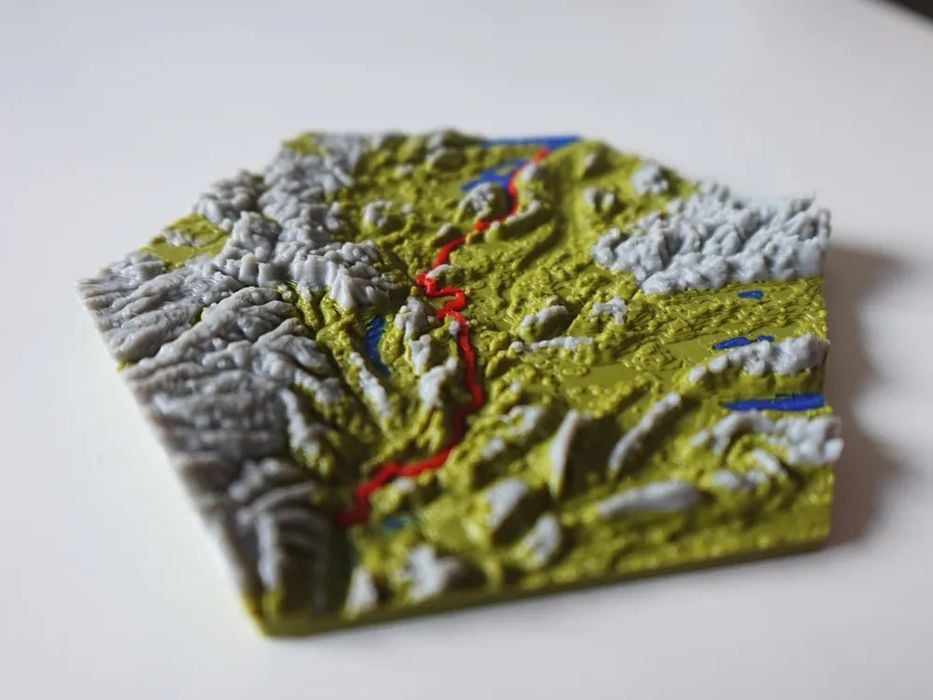
Want to 3D print your latest outdoor adventure? There’s an app for that.
Imagine that you’ve done a major hike in an unusual area of the world, and you’d like to create a unique souvenir of that journey. You could find a utility to generate a 3D model of that terrain you walked on, but what if that terrain could literally include the very path you followed?
That’s the premise of TrailPrint3D, a tool that can create 3D printable meshes of arbitrary locations. The output can be automatically coloured to identify water, cities, forests, etc.
How does it work? TrailPrint3D is actually a plugin for Blender, the well-known open-source 3D development tool. Blender works on all major platforms, so no one is left out here.
After installing the plugin, the next thing you’ll need is a GPX file. That is the format used by many navigation apps to record a series of locations on a journey. That’s where the data is sourced for generating the 3D model of your hike.
The tool is apparently quite simple to use: just load the file and hit “generate”.
There are a number of options to control how the output 3D model is generated:
- Shape (square, circular, hex, etc.)
- Frame (for the printed model)
- Single color mode (if you don’t have a filament swapper)
- Terrain
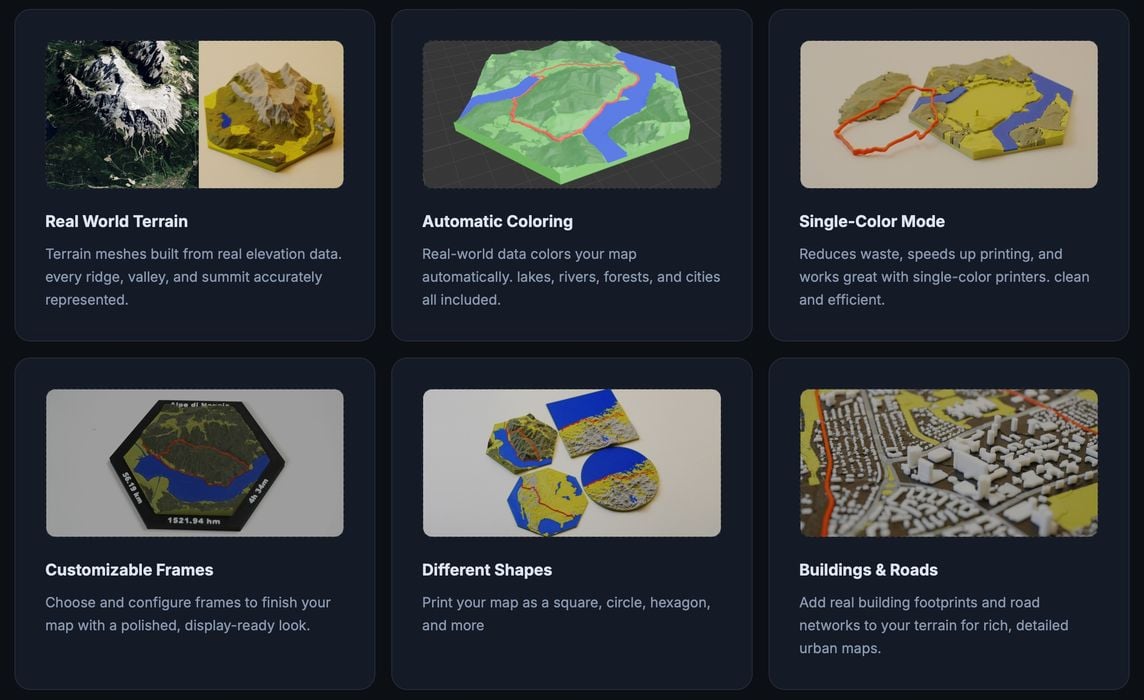
The resulting 3D models are even usable for commercial purposes, and all processing happens on your PC.
TrailPrint3D is quite powerful, but there is a premium option that you can purchase to unlock some advanced features.
These include the ability to load multiple GPX files on a single map, say if you did several hikes during a weekend in an area. Another one is the ability to use special shapes for the maps, an example of which is a jigsaw puzzle shape. Finally, you can also produce multiple-tile maps. That could be very useful for complex journeys, or even just expanding the scale to show more detail.
If you’re an outdoor type, you might want to check out TrailPrint3D.
Via TrailPrint3D
