
There’s a new tool to help you manage your inventory of 3D printer filament.
The tool is 3D Print Manager, made by solo developer Damir Druško, based in Croatia. The web-based system is able to easily track usage of material and maintain an inventory of filament that is intelligently monitored.
Not everyone will require such a tool, but those who might would include anyone operating more than a couple of 3D printers on a regular basis. Small print farms would be the ideal user for 3D Print Manager.
Normally, print farm managers start with a single machine and gradually add more. That’s the easy part: the hard part is to manage them effectively. With only one or two machines, you can easily manage things by eye, but that gets increasingly complicated as more machines and spools appear.
Enter 3D Print Manager, a tool to simplify that work.
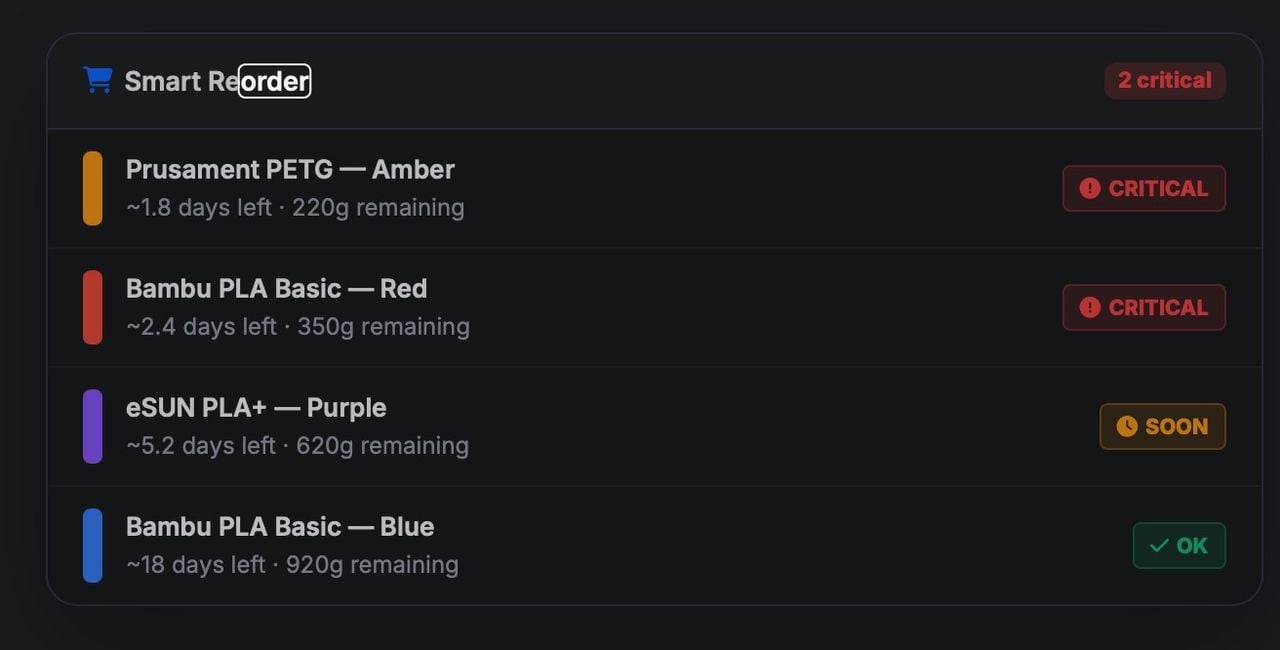
How does it work? The ingenious part is that you need only provide your GCODE file to 3D Print Manager, and it figures out precisely how much material is to be used, and that data is then used to adjust inventory levels. The system can estimate how many days’ worth of each material remain in your inventory.
The system then warns you when you are going to run out during an upcoming job, and also can recommend when to order refills. In fact, a Smart Reorder function can even do that automatically for you, which is quite useful because it accounts for queued jobs that haven’t yet printed.
A system like this would reduce situations where you can’t meet a customer print deadline because you ran out of material and had to wait for the reorder to arrive. For some operations, avoiding a couple of such incidents would pay for the service.
And what does 3D Print Manager cost? As you might suspect, it’s a subscription service. There are three levels:
- FREE — Inventory only, up to 15 spools, two material types
- PRO — €4/mo (US$4.70) for 1-5 printers, unlimited filaments
- RARM — €15/mo (US$17.60) for 6+ printers, teams and more
If you have a busy set of 3D printers and are still using spreadsheets — or nothing — to track your spools, you might consider giving 3D Print Manager a try.
Via 3D Print Manager
