
Anyone selecting a filament product from Polymaker can now use an incredibly powerful assistant.
Polymaker has gone all out in their latest filament selection tool. The company has long been seeking ways to make selection and purchasing easier, likely spurred by the increasingly vast number of filaments on their ever-expanding product shelf.
There’s a bit of psychology going on here. It appears that Polymaker understands the behavioural economics problem: if a buyer is faced with too many choices, they tend not to buy anything! This is a well-documented phenomenon, and it comes from the feeling that the buyer would “miss out” on something if they choose anything without being able to understand all the options.
Polymaker breaks that barrier with their online app. It is basically a product selection tool, but on steroids. By specifying a few inputs, a buyer can dramatically shrink the list of suitable Polymaker products down to a list short enough to understand — and purchase.
What can you do? There’s quite a bit, actually.
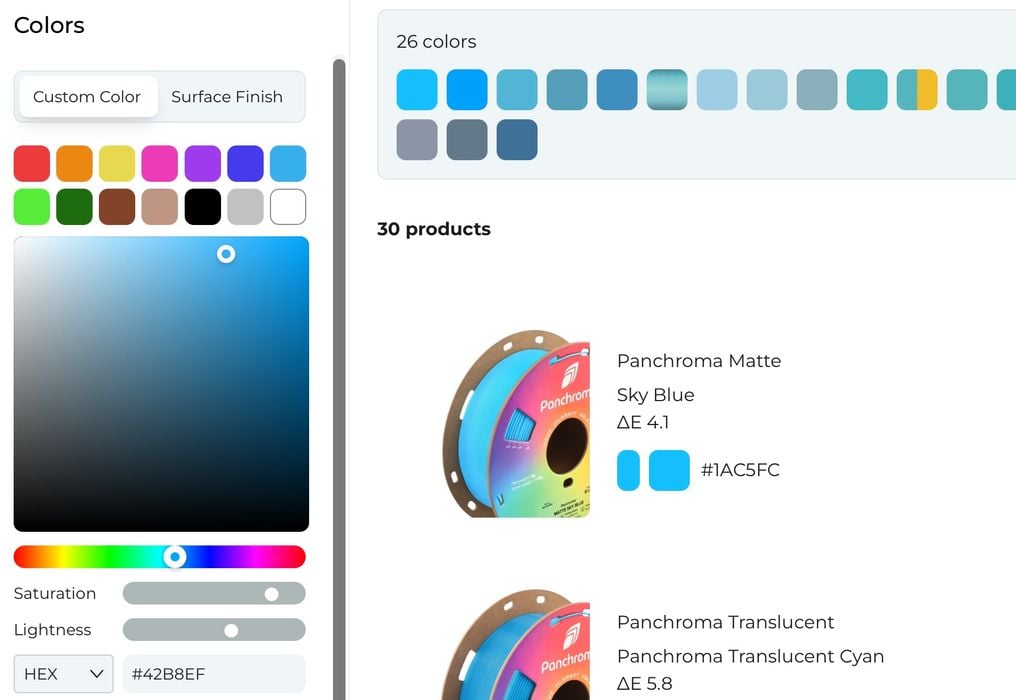
The first, and most obvious factor is “Color Match & Finish”. The app presents 14 basic colour categories, which, when clicked, narrow down the selection to relevant colours. You can then further narrow down the selections to pick the closest colour that matches your requirements.
A really interesting feature is the ability to punch in a colour code (using RGB, HEX, HSL, or CYMK), which can instantly present the best matching colours.
Another cool feature is the ability to upload an image, which will be analyzed for the key colour, and then that’s used for selection.
For “Finish”, the Polymaker app presents 20 different finish types, which again narrow down the selections.
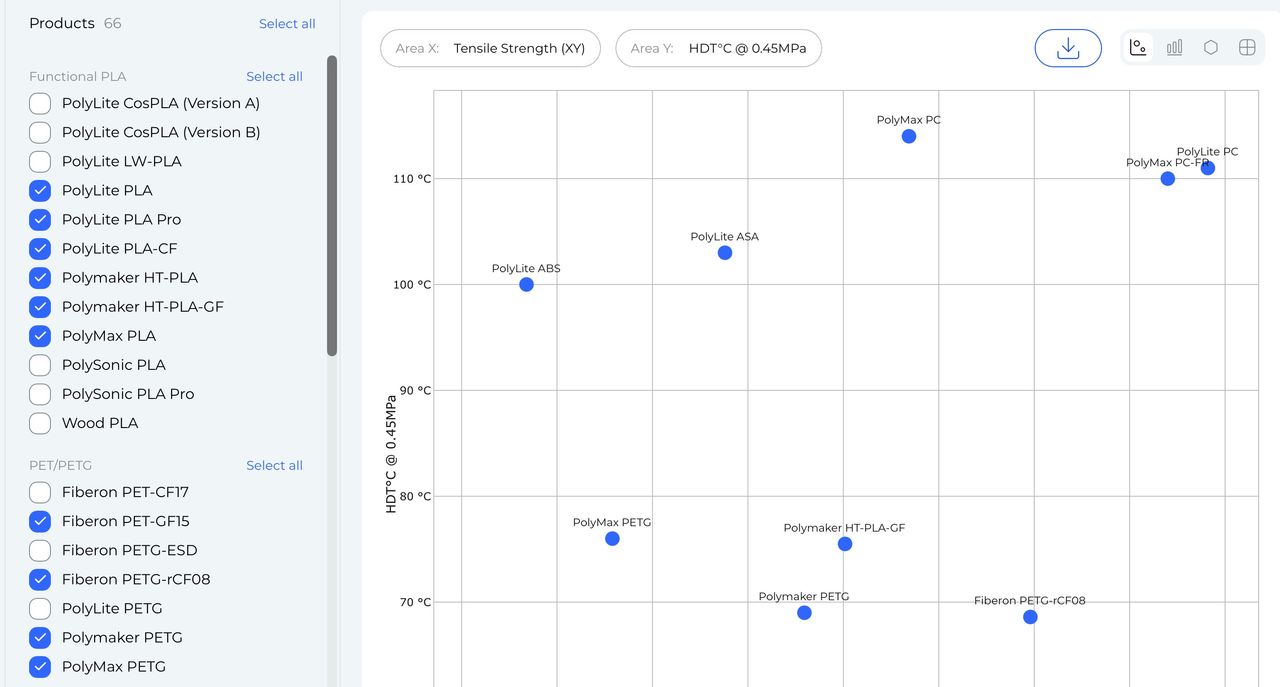
The next factor is “Comparison”, which is a way to compare engineering properties between filament options. As seen here, the feature presents an XY chart of tensile strength vs. heat deflection temperature. You can tick on or off any of the Polymaker materials to enable appearance on the chart.
The third aspect is by application. Polymaker presents a long list of typical 3D print applications to select from. Once selected, the app shows the filament products that they feel are best suited for that specific application type.
Finally, there’s a friendly chatbot, “PolyBot”, at the bottom of the window that you can ask any questions about the Polymaker products.
Using all these precision selection tools, you can very quickly scope in on the exact filament products for your project. As far as I know, this is by far the most sophisticated filament selection tool on the market today.
The implications of this tool are quite interesting. As 3D print technology has evolved, we now have an astounding number of possible materials that is effectively beyond human comprehension: selection tools are required. Polymaker recognizes this issue and has taken a very big step to overcoming it.
But what about the other filament producers? I expect they will have to provide similar functionality to avoid having buyers getting lost in endless product lists.
Via Polymaker
