
The H3C is official today, and we’ve been quietly testing it for several weeks.
This is part one of a four part series, please read parts two, three and four.
Bambu Lab H3C Background

The H3C is the latest generation of 3D printing technology from industry leader Bambu Lab. While it may visually appear similar to other systems (aside from the astounding number of printheads), there is some quite different tech going on inside.
The main technology upgrade is “SwapTek”, which is a toolchanging system. Essentially, SwapTek can quickly change out the hot end / nozzle toolhead during a print job. Bambu Lab claims the switches can take place in under six seconds, and they are correct. My observations were around five seconds, but either way, it’s really quite fast.
SwapTek is able to pre-heat the nozzles, which means they are ready to extrude the instant they are placed on the X-axis, so there are really no delays other than the swapping movements — and the occasional purge if it is a newly loaded filament.
SwapTek could replace the company’s previous toolchanging technology, Vortek, presently used only on the H2C system.
SwapTek also has another unexpected feature that is, as you will see later, is quite brilliant: SwapTek printhead can print 1.75mm filament AND/OR 2.85mm filament. Why 2.85mm filament? Isn’t that an outdated standard? Well, yes, but hold on and you will see what Bambu Lab is doing with it.
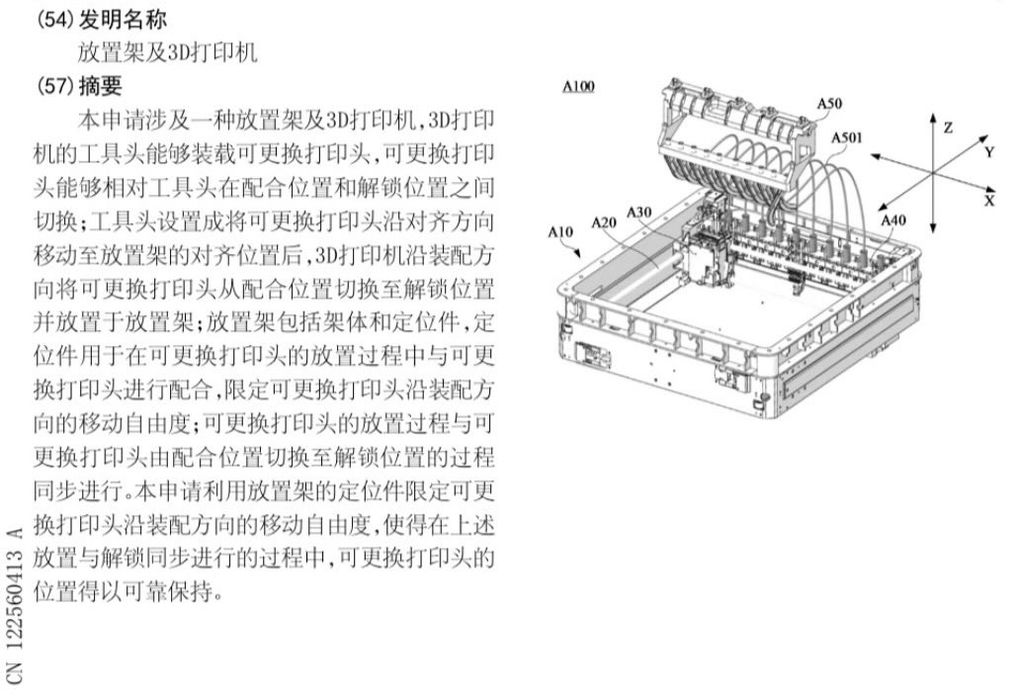
I was quite excited to test the H3C, having written about a Bambu Lab patent earlier that now looks suspiciously like the H3C.
Then I thought that Bambu Lab was getting far deeper into multicolor and multimaterial 3D printing, and that now seems to be true.
Bambu Lab H3C Specifications and Features
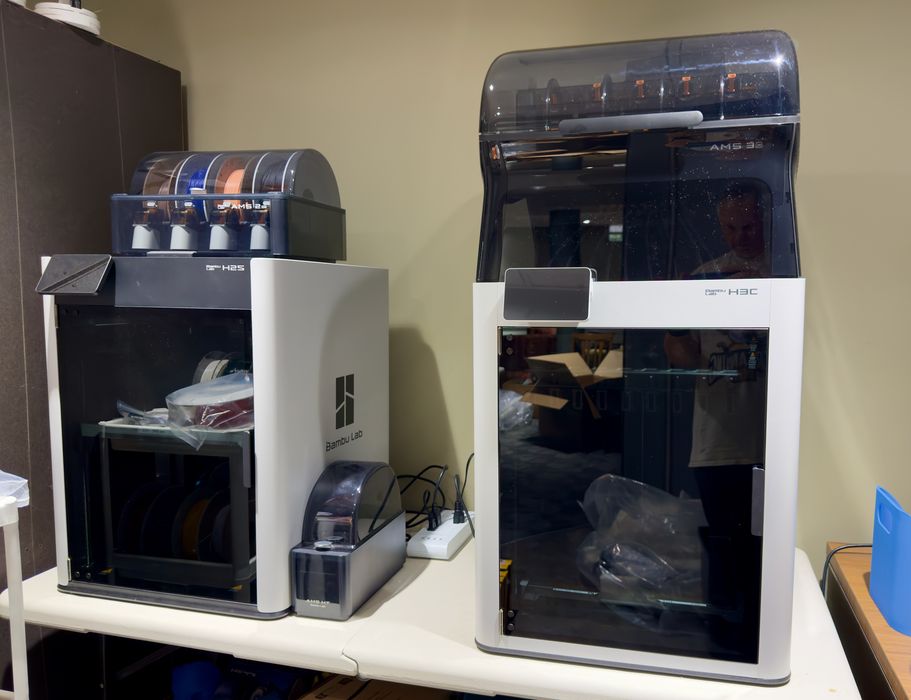
The H3C, as you might guess from the product name, is one of their “H” series devices. These are fully enclosed systems that sport larger build volumes than the P-series. The build volume on the H3C is, by my measure, 330 x 325 x 325 mm, which is quite large. Unfortunately it is not quite the same as some other H-series systems. The print plate on my H2S, for example, is slightly too large to fit in the H3C.
But what about those toolheads? There are nine, as you can see in the images, and each one includes a truly hardened nozzle, capable of handling abrasive materials, like carbon fiber filled filament. However, the rest of the filament path, including the AMS unit, are subject to abrasion with that type of material.
While there is the new AMS 3H included (and really part of) with the H3C, it is possible to attach even more AMS units. The H3C apparently supports up to FOUR MORE AMS units, providing a total of 24 different colors in a single job. To put that in perspective, that’s over US$500 in spools just to load that configuration. I can’t imagine many (or any) operators using that setup. Nine seems to be plenty for almost anything reasonable.
The nine toolheads allow use of the Full Spectrum concept, where you mix adjacent base colors to produce a different color when viewed. For example, yellow and magenta beside each other visually appear as green. I tested this feature, as you’ll see in a moment.
This capability opens up the notion of CMYKW 3D printing, where you load up a spool each of cyan, magenta, yellow, black and white. Then you can, in theory, print any RGB color by mixing these base colors. What’s changed on the H3C is that nine slots allow you to have this set up all the time, and with room for more, too.
This is part one of a four part series, please read parts two, three and four.
Via Bambu Lab