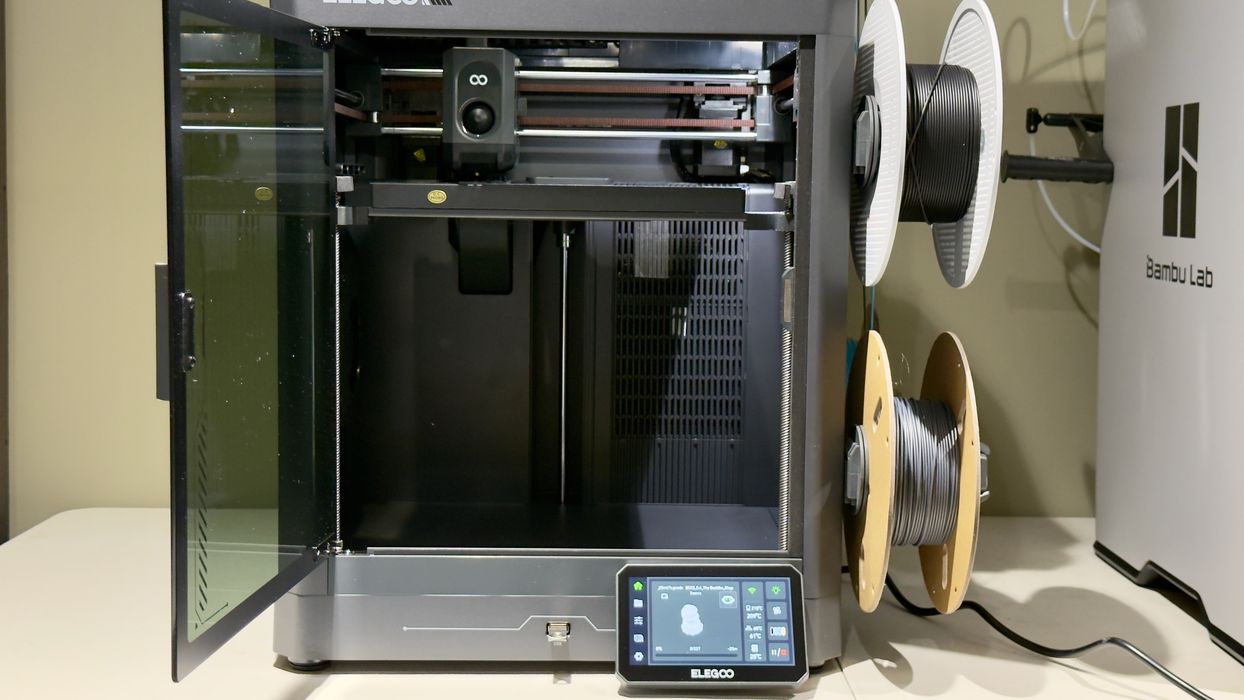
Our look at the new Centauri Carbon 2 3D printer from Elegoo concludes with Software, Print Results, and Final Thoughts.
This is part three of a three-part series, please read parts one and two.
Centauri Carbon 2 Software
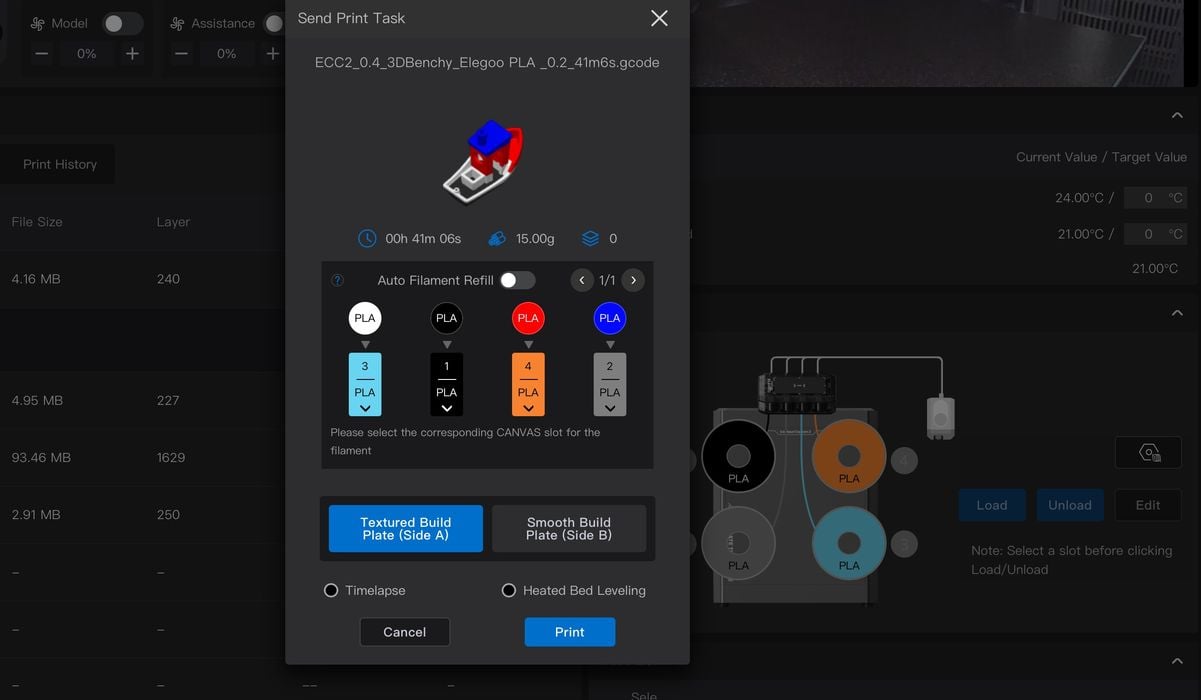
For software, the Centauri Carbon 2 uses a custom version of OrcaSlicer called “Elegoo Slicer”. I won’t go into much detail because it is essentially the same software you’d be using on other machines, except that Elegoo has changed the machine page a bit to account for the spool configuration.
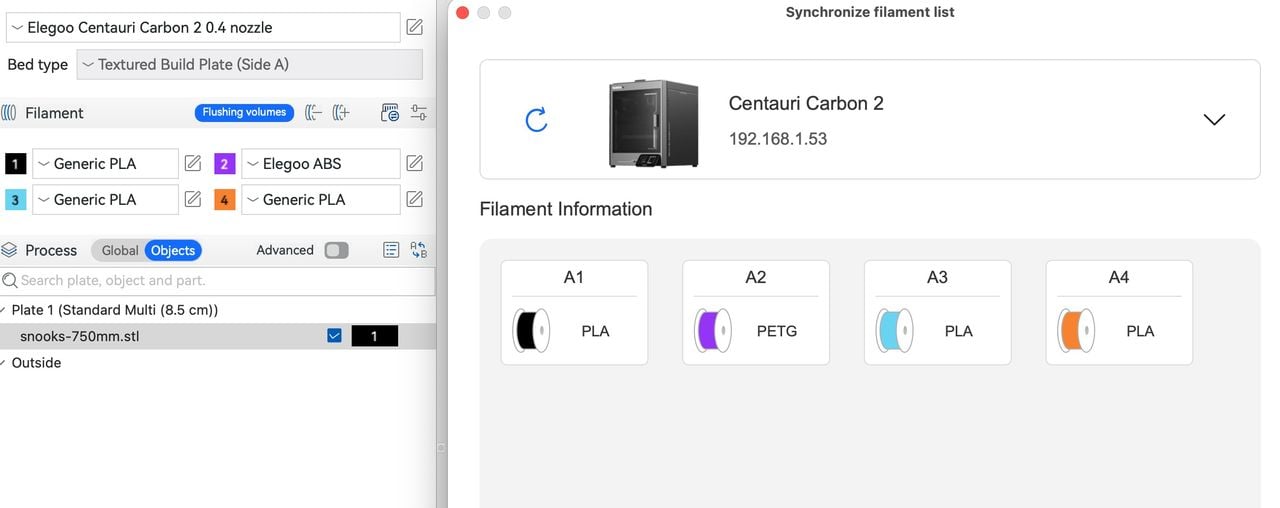
Things usually worked well, but occasionally there were glitches, like this filament mismatch. You can see on the left we have some purple ABS, but it is actually purple PETG — and that’s assuming there actually is such a spool physically mounted.
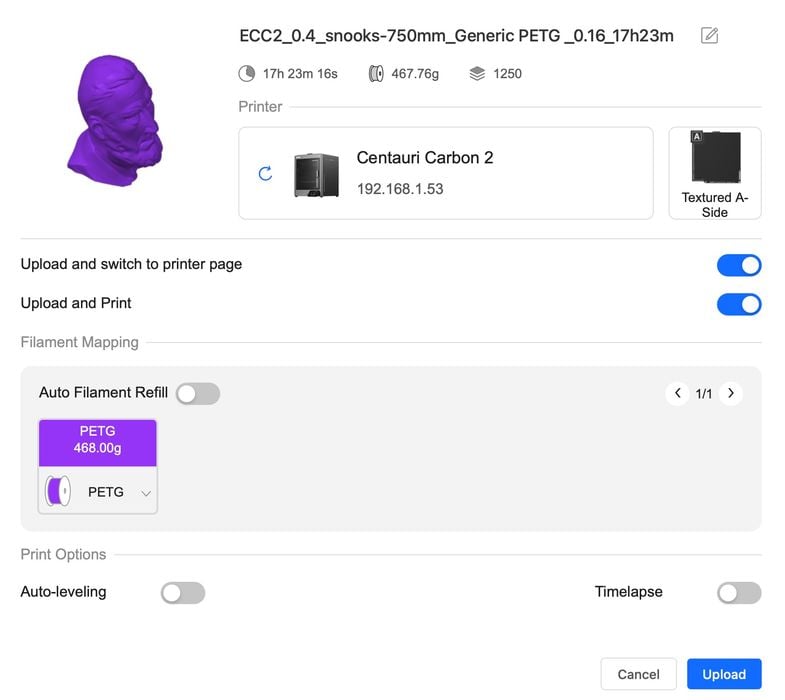
The system does work pretty well to dispatch jobs remotely to the printer, but I noticed one consistency issue. Here you can see that the act of sending the job to the printer is called “PRINT”, but is also called “UPLOAD”. I was confused for a bit when I thought upload would just put the job on the machine’s storage, but no, it actually starts the job too.
I noticed that the slicer’s estimated print durations were consistently lower than actual results: they took longer. I asked Elegoo about this, and they said they were still working on this issue, and the cause was that the slicer wasn’t accounting for the time required to swap materials. Evidently, this will be fixed in a forthcoming software upgrade.
Centauri Carbon 2 Print Results
Let’s have a look at some of the print results from the Centauri Carbon 2.
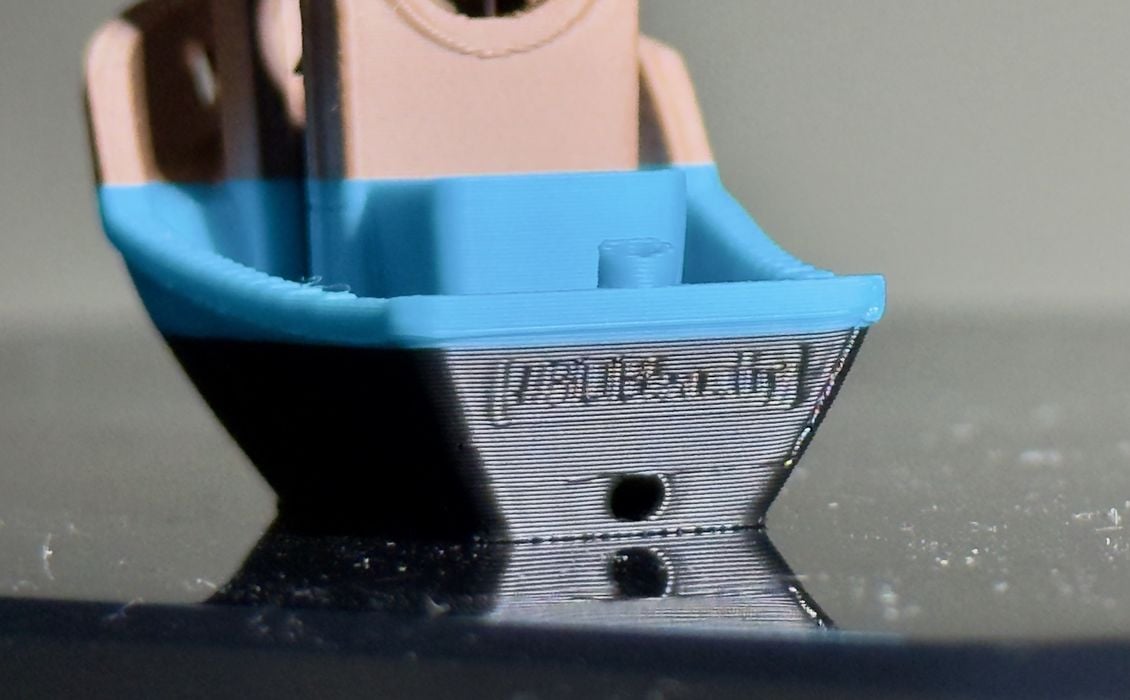
The #3DBenchy we saw earlier was quite good. So good that you could almost read the wording on the stern of the ship.
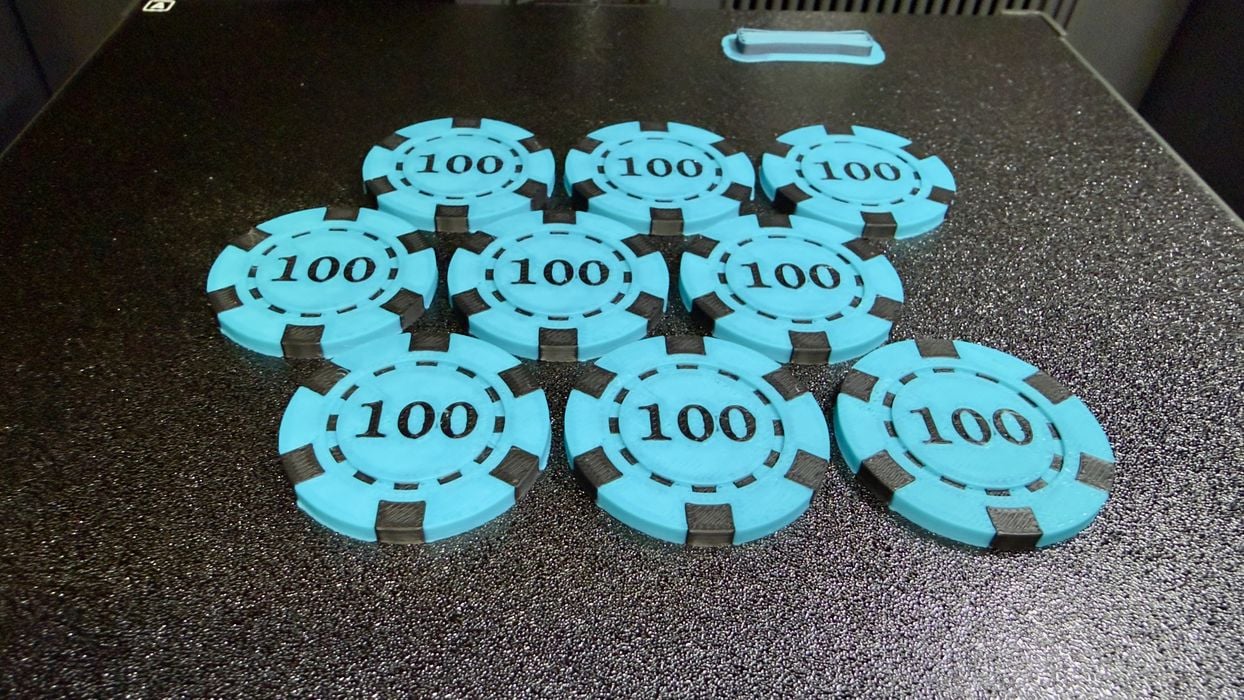
The machine is very good when printing larger quantities of multicolor parts. That’s because the poops are required by layer, so printing this stack of chips generated the same amount of poop as doing only one. Print many!
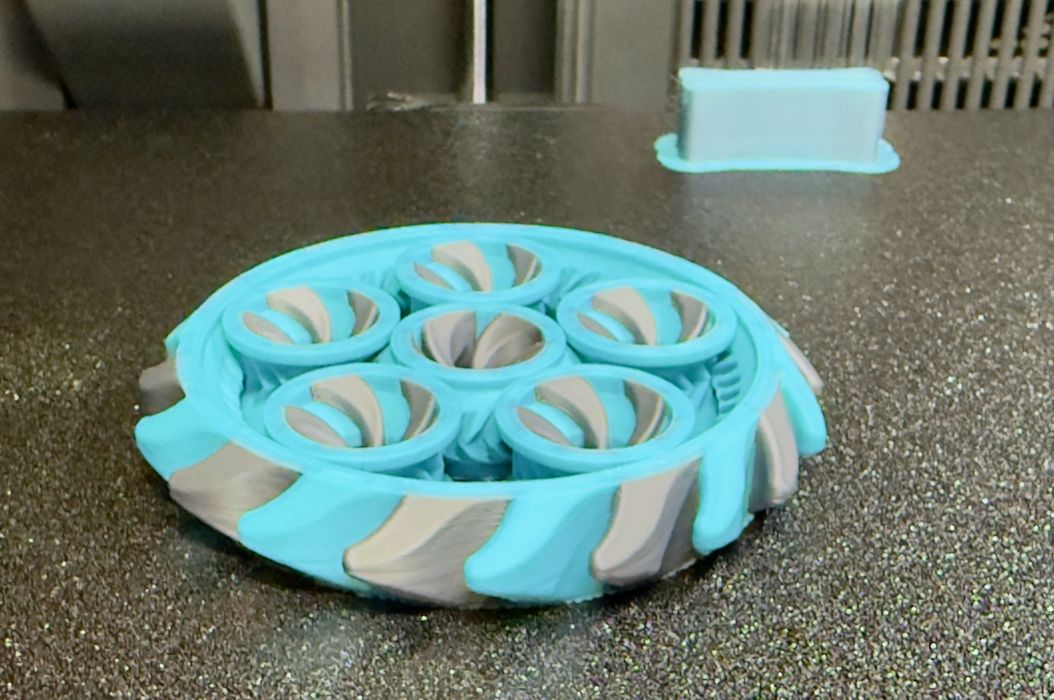
This complex PLA fidget spinner came out perfectly, and the gaps were just right to allow it to spin immediately after printing.
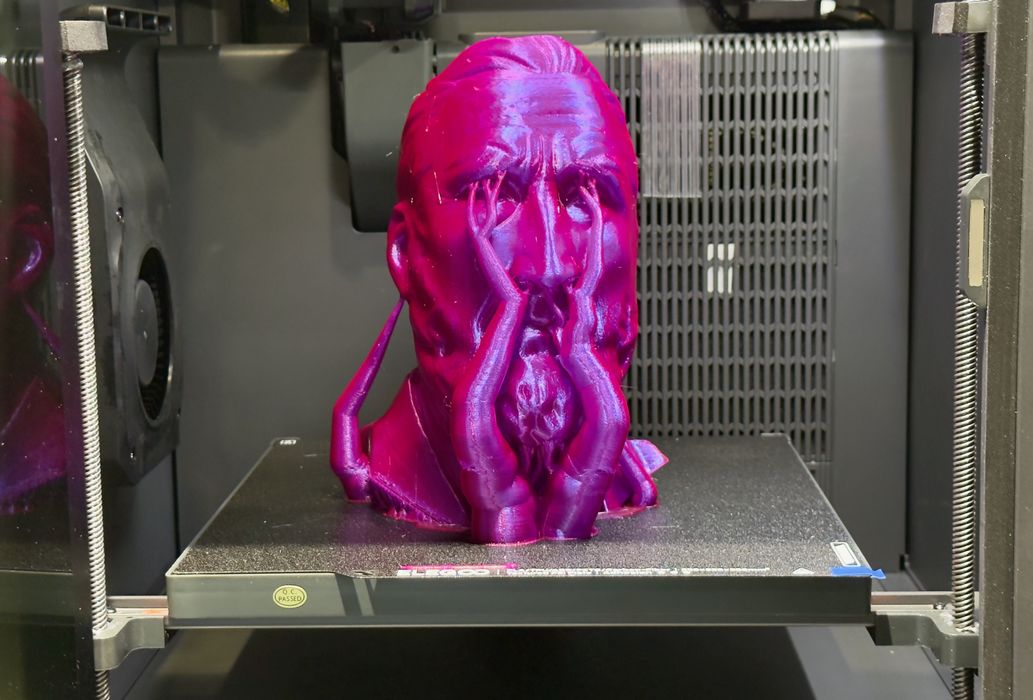
I did a large PETG print — using that awkward spool mentioned above — and it completed perfectly.
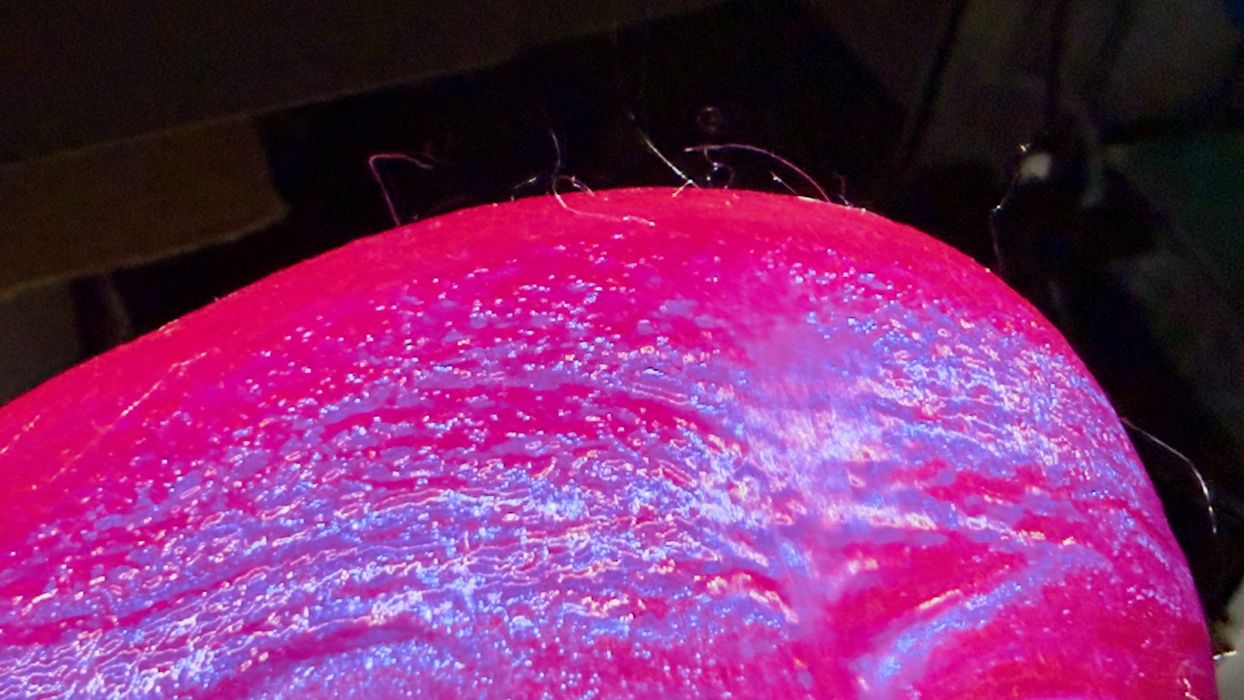
The only issue I noticed with printing PETG was the copious amount of “hair” on the surface of the print. These are tiny hairlike strands that will have to be removed with a hair dryer or heat gun. I suspect some profile tuning could get rid of them, or additional filament drying, too.
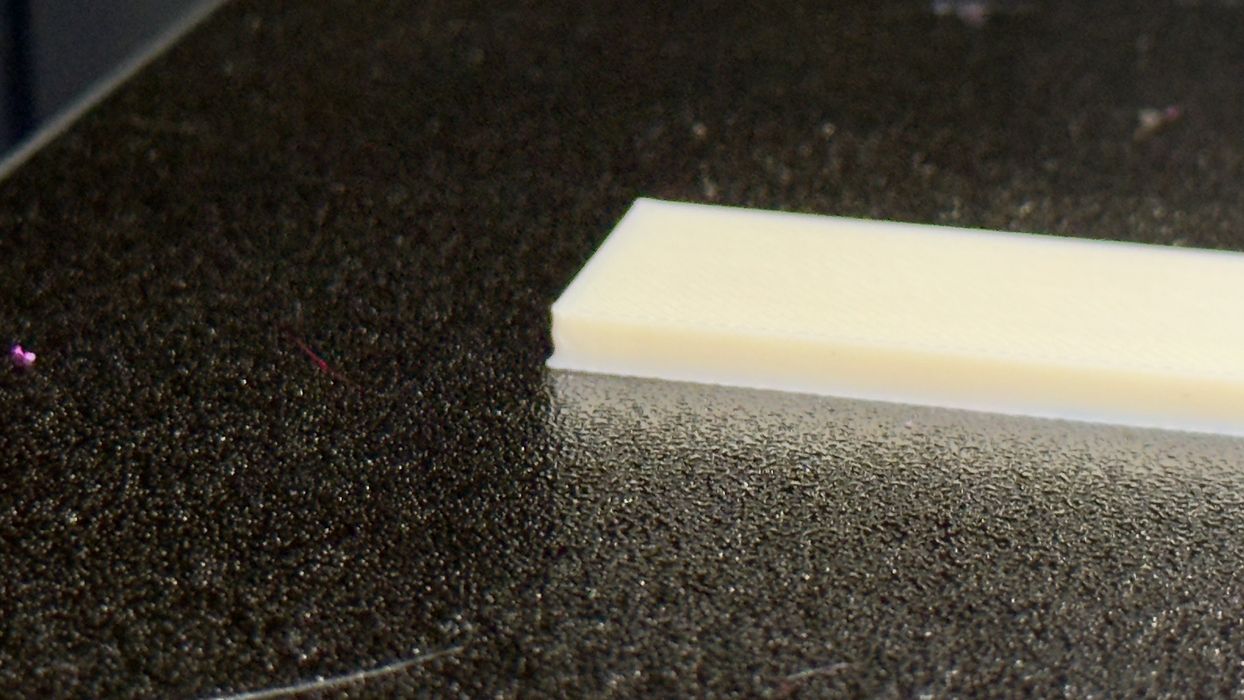
I printed ASA (which acts the same as ABS), and was surprised to see that it did not warp at all. The enclosure of the Centauri Carbon 2 is able to capture enough stray heat to lower the thermal gradient. Normally, this print, without a brim, would warp on most machines.
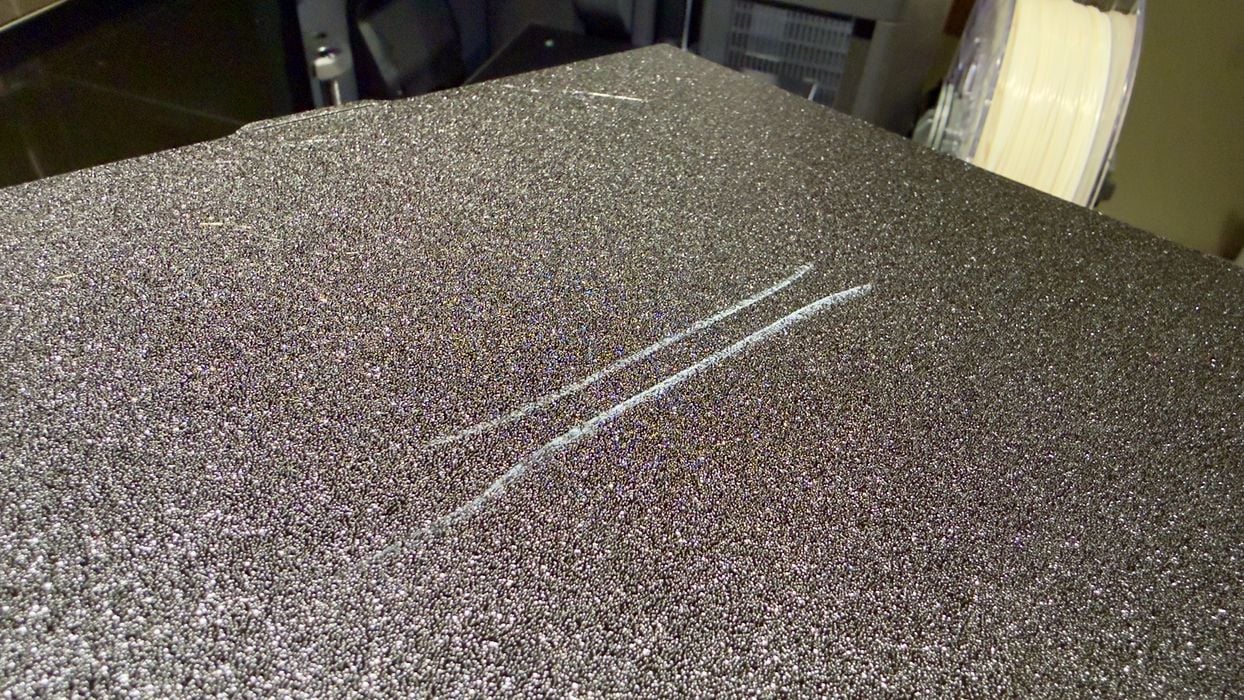
However, I noticed afterwards there was an “ASA pattern” on the build plate. That shouldn’t cause a problem, but it was there.
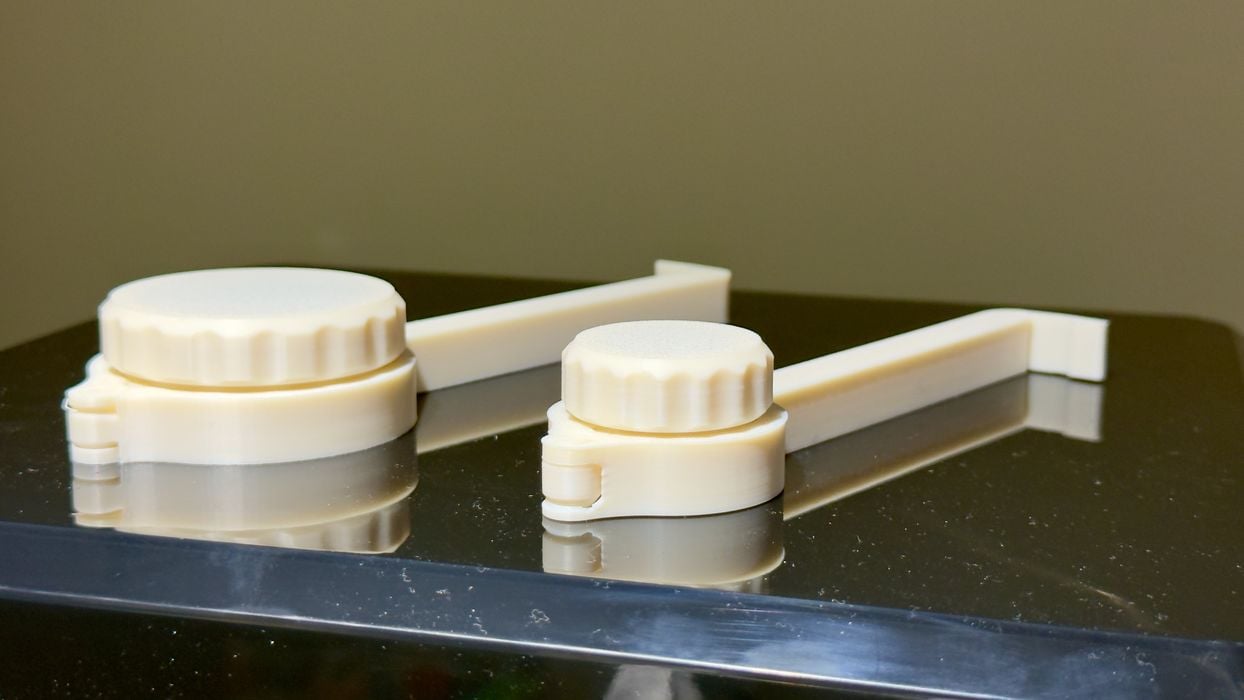
Knowing I could print ASA easily, I printed a relatively complex chip bag clip with a hinge, and it worked perfectly. The hinge operated immediately.
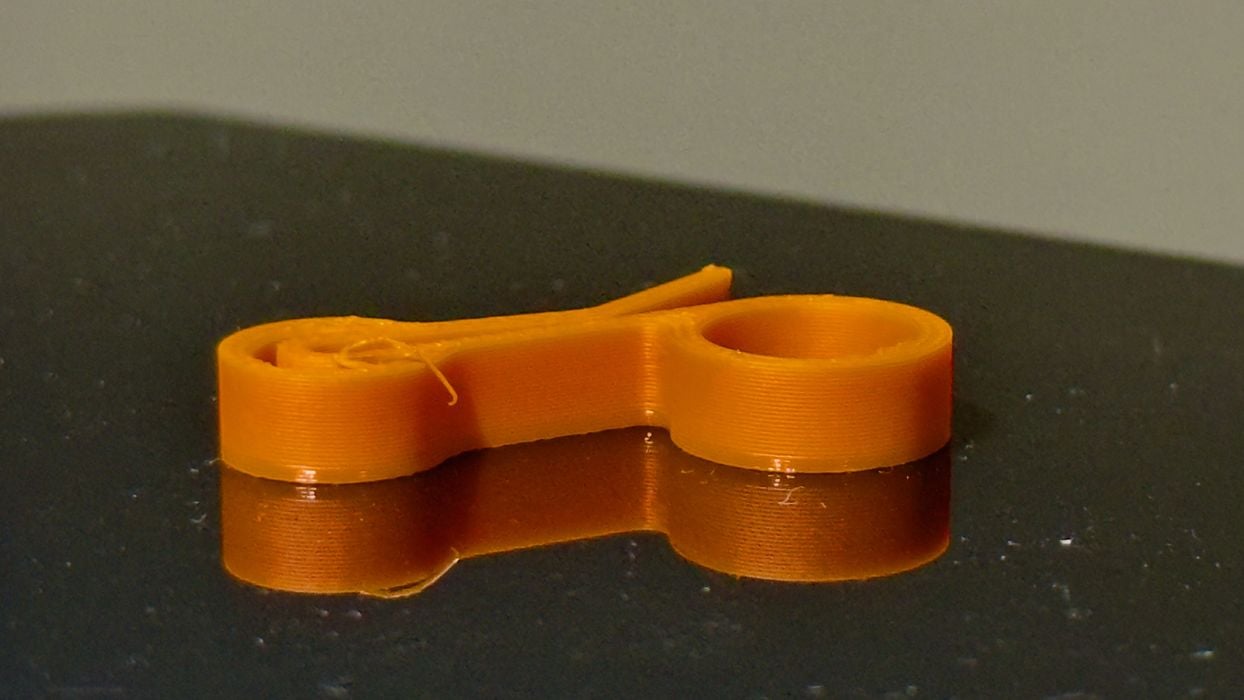
This is my successful PCTG print. Again, the Centauri Carbon 2 does not officially support PCTG, but you can fake it by pretending it is PETG and adjusting the settings.
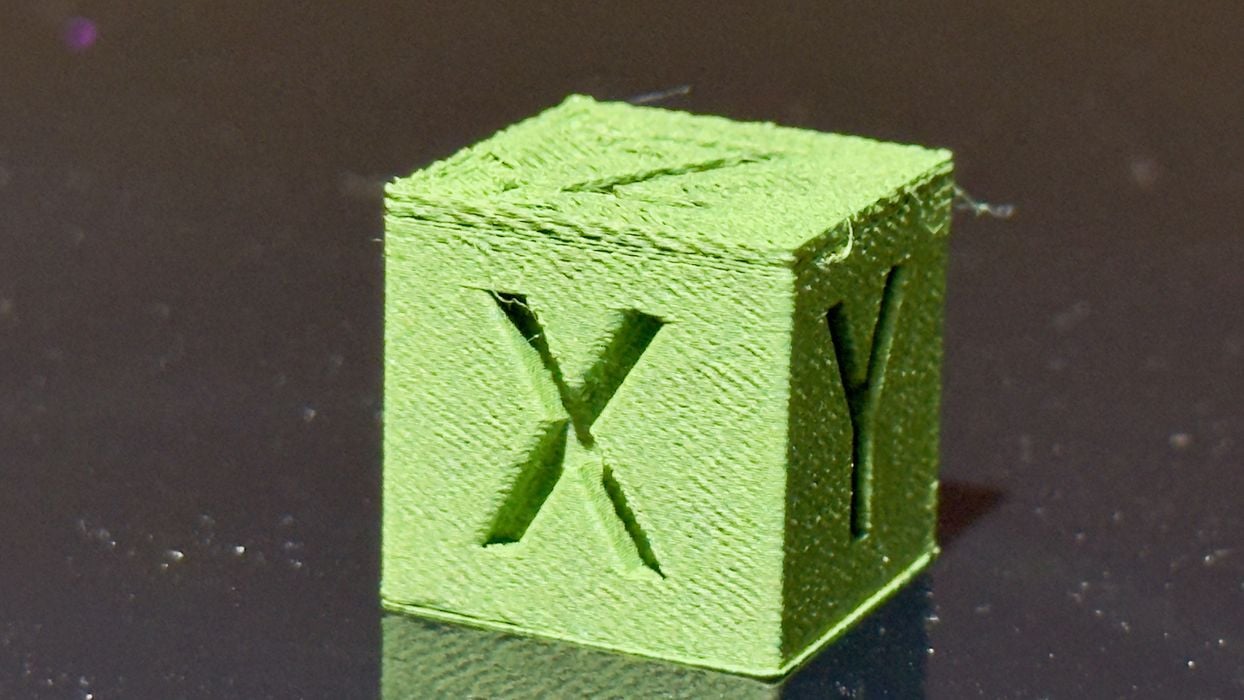
This PLA-CF print didn’t turn out so well. At the top, we have some under extrusion, which might be due to friction of the rougher filament through its path to the extruder. PLA-CF is quite abrasive, and it tends to be harder to pull through PTFE tubes. This may be the cause of the rough surface quality.
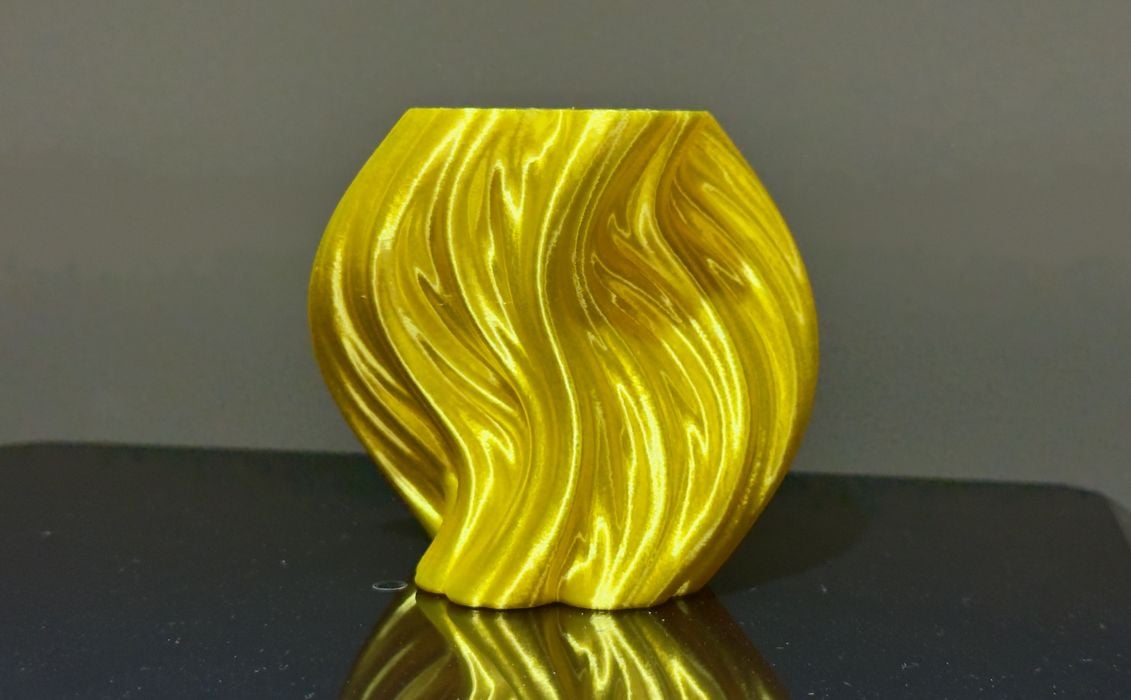
PLA Silk printed quite well, with this beautiful example of a Julia Vase, shimmering in the light.
In all, the print quality I obtained from the Centauri Carbon 2 was quite good. It wasn’t the highest quality I’ve seen, but definitely acceptable, particularly with PLA material.
Centauri Carbon 2 Final Thoughts
The Elegoo Centauri Carbon 2 is a pretty good desktop 3D printer. It has a small footprint, which is better than competing machines that require space for a filament swapping accessory.
I found the print quality to be quite good, and the operating software to be about the same as the competition — because it literally is the same software as the competition, for the most part.
The most challenging aspect of the Centauri Carbon 2 in our testing was spool management. There is a lot of manual work to do, even with the automatic RFID recognition, as compared to competing systems where you simply drop in a spool. The manual work required can introduce the opportunity for errors, which can’t be detected by the machine.
Another challenge was assembly. I found the machine to require a bit more work to put together than many of the other devices we’ve recently tested. I believe much of that work is a side effect of reducing the shipping volume, causing parts to be squeezed into a smaller space.
There were several aspects of our test machine that will be fixed by release day or thereafter, including: TPU printing, electronic hum, and duration estimations. While I experienced these, they should not be present on future Centauri Carbon 2 machines.
For the price, the Centauri Carbon 2 is a pretty decent multicolor device. Unlike open gantry systems, it’s fully enclosed with a high-temperature hot end, enabling the use of many engineering materials. It could be a reasonable and inexpensive professional machine.
ELEGOO
CENTAURI CARBON 2
★ BEGINNER 7/10
★ ENTHUSIAST 8/10
★ PRODUCTION 8/10
BEST FEATURES
✔︎ Low cost
✔︎ Multicolor capability
✔︎ Engineering materials
QUESTIONS
✖︎ Extra assembly
✖︎ Awkward spool mgmt
✖︎ Dust magnet
This is part three of a three-part series, please read parts one and two.
Via Elegoo