
Our look at the Elegoo Jupiter 2 resin 3D printer concludes with Final Thoughts.
This is part four of a four part series, please read parts one, two and three.
Elegoo Jupiter 2 Final Thoughts
The Jupiter 2 arrived packed very well for shipping and was bagged for easy removal from the box. There was no guide for unboxing, as well as limited instructions for the assembly and setup of the printer. That’s not a big deal though, as this printer isn’t really aimed at the novice market. That said, there are a lot of automated features and processes built into the Jupiter 2 that would surely check off boxes for all types of operators.
A detailed Device Self-Check seemed to always make sure nothing was awry with the printer. The resin pump system monitored and added resin as required, slurping it back up for cleaning or storage with a click of a button. The heated tank kept the resin at an ideal viscosity for printing and the auto-leveling build plate limited the failures due improper adhesion to the plate. We had no issue with any of these features during testing and the resin auto-feeding even alerted us that we ran out of resin, although the options for continuing the print were a bit confusing.
We really appreciated the double doors that gave us full access to the build chamber and double grip build plate with the single action locking lever that clamped it in place, both of which made our workflow easy for processing prints.
The attachable resin “Bib” tray that caught random resin drips while removing the build plate was the icing on the cake. But fair warning, the Jupiter 2 needs to be on a large work surface, given the space requirements for opening the two large doors sideways.
As expected with all newer printers, we could slice and send files remotely with the SatelLite slicer, even monitoring our prints in progress with the camera, but only when we were on our local network.
The SatelLite slicer itself is somewhat immature and has some awkward bits to it for location of settings vs. workflow, so some work is needed to make it more intuitive. We found auto supports to be massive overkill at times with their density, yet underwhelming with failure prone single bar support structures that stretched way too far, but you can get what you want if you play around with the settings. It took us forever to find where the time-lapse videos were located and how to access them. Of course the software is constantly improving and we would expect Elegoo to address all the issues we saw in future releases.
For remote connectivity, the Jupiter 2 is supposed to work with the Matrix app, but at the time of this review the feature was not yet available for testing. As was the case with the resin calibration procedure mentioned in the user manual. Of course you can still test exposure settings by slicing and sending individual models, but that is a tedious process best left to automation.
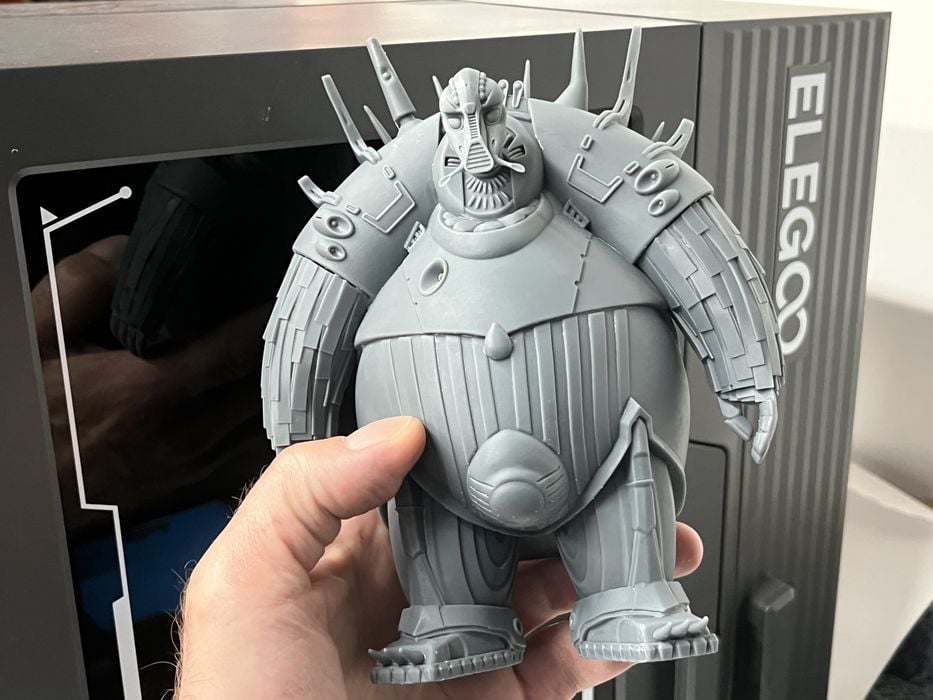
Then there’s the sheer size of the Elegoo Jupiter 2’s build volume, with its huge hi-res 16K LCD capable of giving a high level of detail to the huge prints the Elegoo Jupiter 2 is capable of producing. Unfortunately our largest print failed due to weak supports.
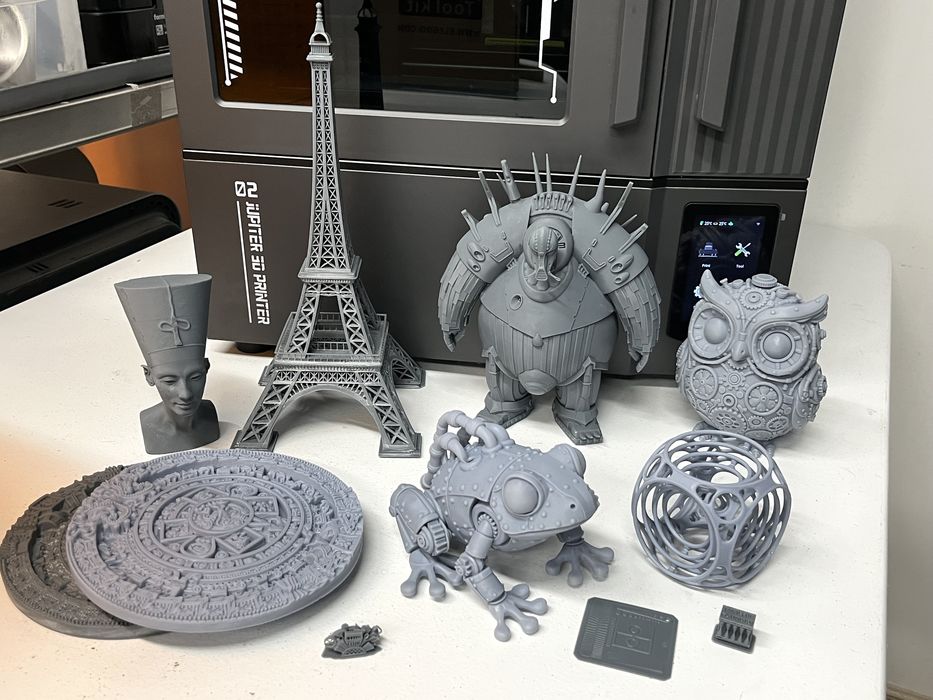
Elegoo included their large Mercury 3.0 Plus Wash & Cure station as part of the review. That was a good thing, as the prints from Jupiter 2 can get quite large. We had to flip the Eiffel Tower end -or-end in the wash bucket to clean properly, but it easily fit inside the cure station with the lid on. The instructions for the wash mentioned adjustable brackets on the basket for holding the build plate, but there is no way the Jupiter 2’s build plate is getting immersed in the wash bucket, it is far too large.
We had a good experience with the Jupiter 2’s hardware during the course of the review and our major issue seemed to be with the Water Washable resin itself, either not cleaning up easily in the wash station with the missing cleaning solution, or being unpredictable for strength in supports, causing severe layer separation failures in the large xeno print.
When we switched over to some of Elegoo’s Standard Grey resin from a previous review, we were rewarded with some of the finest quality prints we’ve seen. The Air Gyro printed without issue and the details on the Aztec Calendar and Steampunk prints really popped, with the surface finish looking fantastic and all models much easier to clean in an IPA wash vs. a water wash.
The Jupiter 2 still has some awkward aspects with the printers UI and SatelLite Slicer that should have been smoothed out prior to release, but the Elegoo Jupiter 2 definitely delivers on its promise for quality of output, with all the issues we encountered being easily corrected with future firmware and slicer updates.
Odd bits aside, we liked the Jupiter 2 and we look forward to Elegoo’s next product!
ELEGOO
JUPITER 2
★ BEGINNER 6/10
★ ENTHUSIAST 7.5/10
★ PRODUCTION 7.5/10
BEST FEATURES
✔︎ Double doors
✔︎ Resin pump
✔︎ Print quality
QUESTIONS
✖︎ Awkward UI
✖︎ Missing calibration
✖︎ Water washable resin
This is part four of a four part series, please read parts one, two and three.
Via Elegoo
